Skip to content



Productive.io offers a comprehensive agency management solution with 3 flexible pricing tiers (e.g. based on a single user) designed to meet the needs of agencies of all sizes:
- Essential: $12/month (billed monthly) or $10/month (billed annually) for core project management tools.
- Professional: $29/month (billed monthly) or $25/month (billed annually) with added features like advanced reporting and resource planning.
- Ultimate: Custom pricing tailored for agencies needing more support and customization options.
In this article, we’ll get into each plan, exploring the features and benefits they provide. This will help you determine which option best aligns with your agency’s needs and goals.
Key Takeaways
- Productive.io has three plans: Essential at $10, Professional at $25 and Ultimate on quote, per user per month billed yearly. Monthly billing is $12 and $29, and annual billing saves up to 17%.
- Every plan has a 3-seat minimum, so a 10-person team pays $100 a month on Essential or $250 on Professional, billed yearly. There is a 14-day free trial with no credit card and no free plan.
- It suits agencies that need advanced management tools and customizable workflows, mainly larger teams. Agency Handy, Scoro and Accelo are alternatives for simpler needs or tighter budgets.
What is Productive.io?
Productive.io is a professional services automation (PSA) platform that centralizes project, resource and financial management for agencies and consultancies. Productive.io pricing is per user, with plans starting at $10 per user per month.
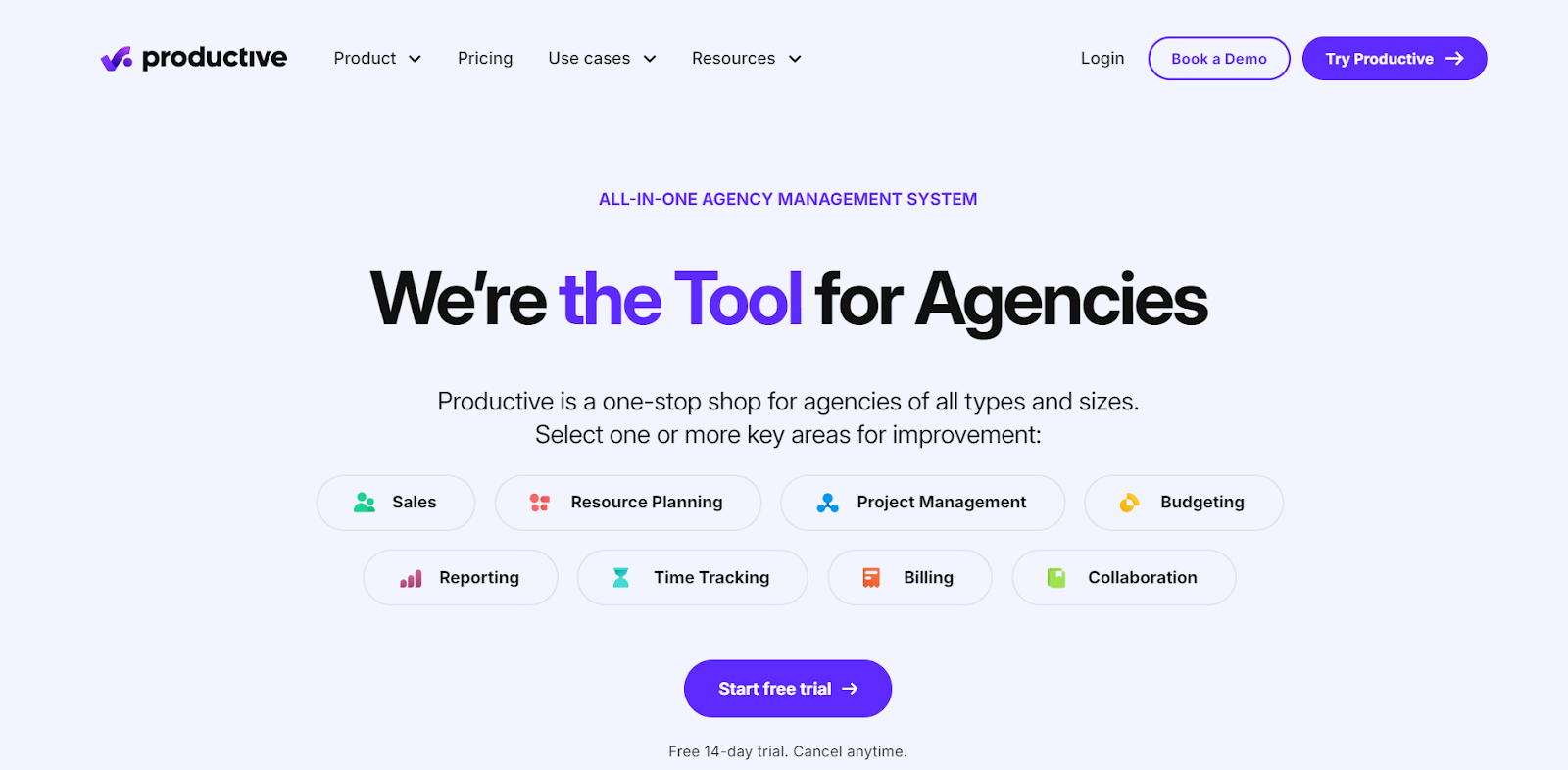
With Productive.io, you can access a wide range of features that support all aspects of your agency’s work. You’ll find flexible project management views, real-time team collaboration, and accurate time tracking.
Recent additions include an AI assistant (included from Essential), AI time tracking, AI report generation, agents and connectors on Ultimate, and an MCP server that lets teams work with Productive data from Claude, ChatGPT and other AI clients.
The platform integrates with popular tools like Xero, Slack, and Google Calendar, making it versatile and adaptable. With Productive.io, agencies can focus on growth while maintaining control over every aspect of their operations.
Productive.io Pricing Plans: A Quick Look
Productive.io offers 3 pricing tiers to suit different agency needs. Pricing is per user, so the overall cost rises as you add more users.
| Feature | Essential | Professional | Ultimate |
|---|---|---|---|
| Yearly pricing / month | $10 | $25 | Quote |
| Monthly pricing | $12 | $29 | Quote |
| Minimum seats | 3 | 3 | 3 |
| Budgeting, resource planning, projects and tasks, docs, time tracking, reporting | ✅ | ✅ | ✅ |
| Expense management, time off management | ✅ | ✅ | ✅ |
| API access, AI assistant | ✅ | ✅ | ✅ |
| Account-level custom fields | 5 | 15 | Advanced custom fields |
| Automation runs | 100 | 1,000 | 5,000 |
| Recycle bin retention | 7 days | 180 days | 2 years |
| Teams, advanced task management | ❌ | ✅ | ✅ |
| Advanced reports (grouping, pivoting, currency conversion) | ❌ | ✅ | ✅ |
| Rate cards, recurring budgets | ❌ | ✅ | ✅ |
| Billable time and expense approvals | ❌ | ✅ | ✅ |
| HRIS and invoicing integrations | ❌ | ✅ | ✅ |
| Revenue forecasting, Scenario Builder | ❌ | ❌ | ✅ |
| Overhead calculation, advanced time tracking, multiple subsidiaries | ❌ | ❌ | ✅ |
| HubSpot integration, webhooks | ❌ | ❌ | ✅ |
| Scheduled reports to email or Slack | ❌ | ❌ | ✅ |
| Enforce SSO or 2FA | ❌ | ❌ | ✅ |
| AI agents and connectors | ❌ | ❌ | ✅ |
Note: A 14-day free trial is available, with no credit card required, and you can cancel anytime.
How is Productive.io’s Cost Calculated?
Productive.io calculates its cost based on several key factors:
- Plan tier: It has three plans, with Essential at $10 and Professional at $25 per user per month billed yearly. Ultimate is quote-based.
- Team size: Pricing is per user with a 3-seat minimum, so cost scales with headcount.
- Billing period: Yearly billing saves up to 17% compared with monthly billing.
- Additional features: The higher plans add more custom fields, automation runs and reporting. The AI Notetaker is a paid add-on.
| Seats | Essential at $10 | Professional at $25 |
|---|---|---|
| 3 (minimum) | $30 | $75 |
| 5 | $50 | $125 |
| 10 | $100 | $250 |
| 20 | $200 | $500 |
| 50 | $500 | $1,250 |
In general, the cost of Productive.io increases with the number of users, the choice of plan, and the need for additional features or custom add-ons. Each plan is designed to scale with your agency’s needs, ensuring you only pay for what you use.
Productive.io Pricing: A Complete Breakdown of Each Plan
Now that you have a quick understanding of what Productive.io offers across its pricing tiers. However, to make a well-informed decision, you’ll have to dive into details. Let’s get into those.
Productive.io Essential Plan
The Essential tier of Productive.io is tailored for small teams. It offers essential tools without the complexity of higher-tier plans.
Productive.io Essential costs $10 per user per month billed yearly, or $12 billed monthly, with a 3-seat minimum.
Starting with project management, the tier provides multiple views like task boards and lists, allowing you to organize your workflow effectively. You can assign tasks, track time directly within them, and set time estimates to keep your team on schedule.
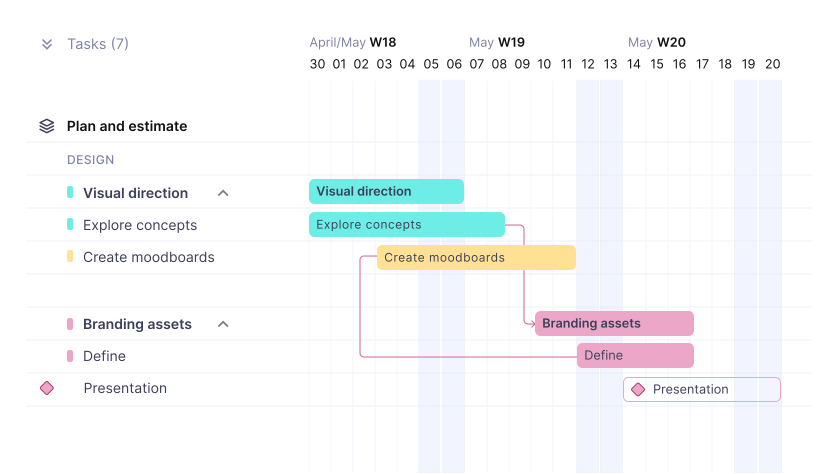
You can plan how your team is utilized across projects. This ensures that everyone is available in real-time, avoiding overbooking or idleness.
Plus, regarding tracking time, you can do so via the web, desktop, or mobile app. If anyone forgets to log their time, they can manually add it later with notes to explain what they worked on or missed.
Regarding sales and budgeting, the plan offers simple tools to manage deals, track budgets, and monitor expenses. While it doesn’t provide advanced financial forecasting, it covers the essentials to keep your projects profitable.
Lastly, you can create and send invoices, track payments, and manage retainer invoicing. However, branding customization isn’t included in this plan.
Features of the Essential Plan
The Essential tier is the starting plan designed for small teams or agencies seeking core project management tools:
- Client Management: Manage client-related tasks within projects efficiently. Ideal for tracking progress without advanced tools.
- Team Members: Allows access for a small team, perfect for startups. Assign tasks and monitor each member’s contributions.
- Project Management: Offers task boards and lists to organize tasks. Set time estimates and track progress easily.
- Time Tracking: Track time via web, desktop, or mobile app. Use manual logging or a timer for accurate timekeeping.
- Resource Scheduling: Plan team utilization and forecast availability. Keep your team coordinated with basic scheduling tools.
- Invoicing: Create and send invoices, track payments, and manage retainers. Custom branding isn’t available in this tier.
- Integrations: Integrate with Google Calendar and Slack for seamless workflow. Simplifies communication and task management.
Pros of the Essential Plan
- Affordable for small teams and startups with basic needs.
- Includes key project management features like task boards.
- Simple time tracking across web, desktop, and mobile platforms.
- Basic resource scheduling helps maintain balanced workloads.
- Integrates with Google Calendar and Slack for smooth workflow.
- Supports invoicing and payment tracking for project finances.
Drawbacks of the Essential Plan
- Only 5 account-level custom fields
- Purchase orders and retainer management aren’t available.
- No access to advanced financial forecasting or detailed reports.
Productive.io Professional Plan
Productive.io Professional costs $25 per user per month billed yearly, or $29 billed monthly.
It’s suitable for mid-level project management and operational tools beyond the basics. It’s ideal for teams needing enhanced control, customization, and scalability.
In this plan, you can add custom fields within tasks and projects. It allows you and your team to customize workflows to specific needs, providing more detailed tracking and organization than the Essential plan.
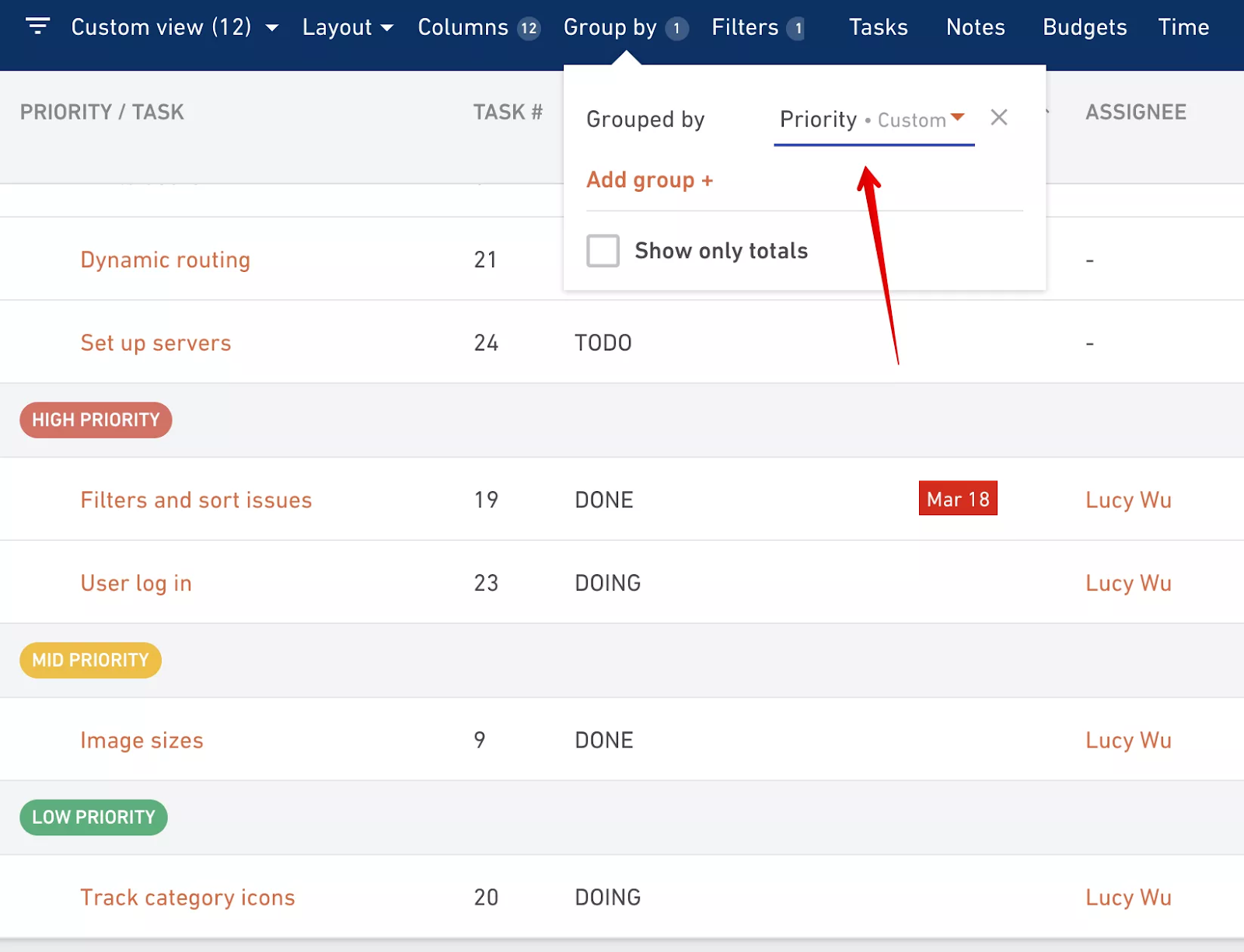
In addition to customization, the plan improves integration facilities by offering Zapier access to over 1,000 apps. It optimizes your workflows and automates tasks across platforms.
And for sales and budgeting, you can enjoy features like rate cards (10), enable/disable the time tracking function, and retainer management. Plus, you can give clients access to view budget expenses.
Resource scheduling also upgrades in this tier from the Essential plan. You’ll get additional features, such as live reports, placeholders, time-off approvals, and data filtering.
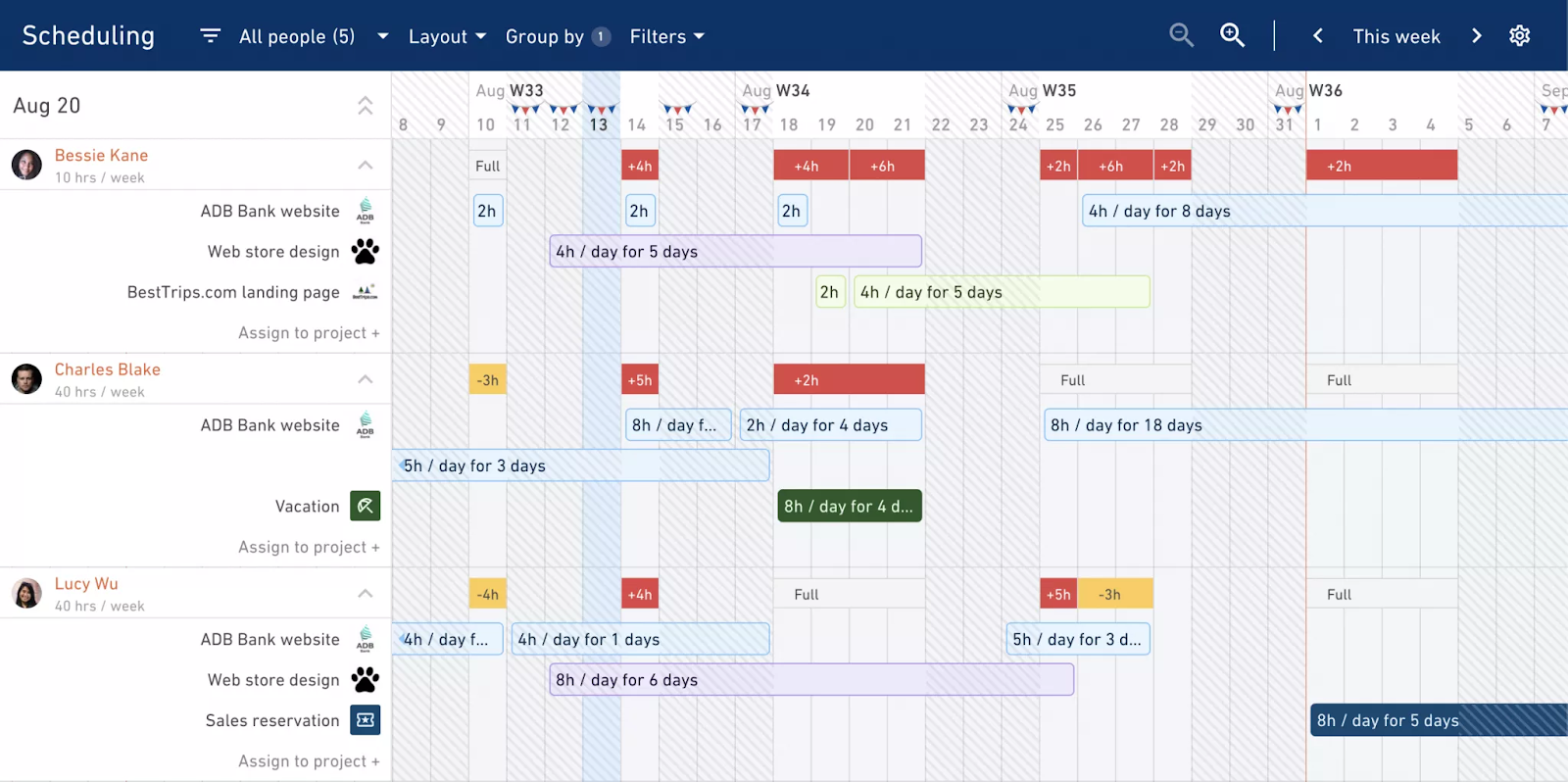
Time tracking receives an upgrade with advanced tracking methods, including automatic time tracking and approvals. These features ensure accurate, compliant reporting.
If time tracking is the main reason you are looking, our guide to time tracking for agencies compares the tools side by side.
Resource scheduling is further improved with live reports, placeholders, time off approvals, and data filtering, helping agencies plan future tasks more effectively. This ensures that resources are managed and available when needed.
Finally, the Reporting feature is significantly enhanced, allowing you to create customizable reports with real-time insights. These advanced reporting tools enable deeper analysis, helping agencies optimize their operations and make informed decisions.
These tools help agencies plan future tasks, ensuring resources are managed effectively and available when needed.
Features of the Professional Plan
The Professional plan expands on the Essential tier, offering more advanced tools for agencies. Here’s a look at its features:
Everything included in the Essential plan plus:
- Task Dependencies: Set dependencies between tasks to manage complex projects. This feature ensures tasks are completed in the correct order.
- Repeating Tasks: Automate recurring tasks to save time on routine work. Perfect for teams handling ongoing projects with repetitive elements.
- Advanced Reporting: Create customizable reports with real-time insights. Dive deeper into your data to make informed decisions and optimize operations.
- Rate Cards: Set custom rate cards for different services and clients. This helps maintain consistent and accurate billing across projects.
- Expense Approvals: Implement an approval process for expenses to control costs. Ensures that all expenses are reviewed and approved before being billed.
- Enhanced Resource Scheduling: Plan team utilization with advanced forecasting tools. Manage availability and workload to prevent overbooking or underutilization.
- Custom Fields: Add custom fields to projects and tasks for more detailed tracking. This feature allows you to tailor the platform to your specific workflow needs.
- Zapier Integration: Integrate with Zapier to connect with over 1,000 apps. Automate workflows by linking Productive.io with your favorite tools.
Pros of the Professional Plan
- Includes task dependencies for managing complex project workflows.
- Offers customizable, real-time reports for better decision-making.
- Advanced resource scheduling helps prevent overbooking or underutilization.
- Expense approvals ensure all costs are reviewed and controlled.
- Custom fields allow detailed tracking tailored to your needs.
Drawback of the Professional Plan
- Lacks some advanced features available in the Ultimate tier.
- May be too complex for very small teams or freelancers.
- Customization options are more limited than in higher-tier plans.
Productive.io Ultimate Plan
Like the Professional plan, the Ultimate tier includes more features. It’s designed for larger teams or agencies managing multiple, complex projects simultaneously.
Productive.io Ultimate pricing is quote-based, so you’ll need to book a demo or call to get the cost.
The Ultimate plan significantly enhances customization options, allowing agencies to use advanced custom fields on top of the 15 account-level fields in Professional.
In addition to what you have in the Professional plan, the Ultimate plan lets you forecast budgets, manage expense approvals, and track purchase orders.
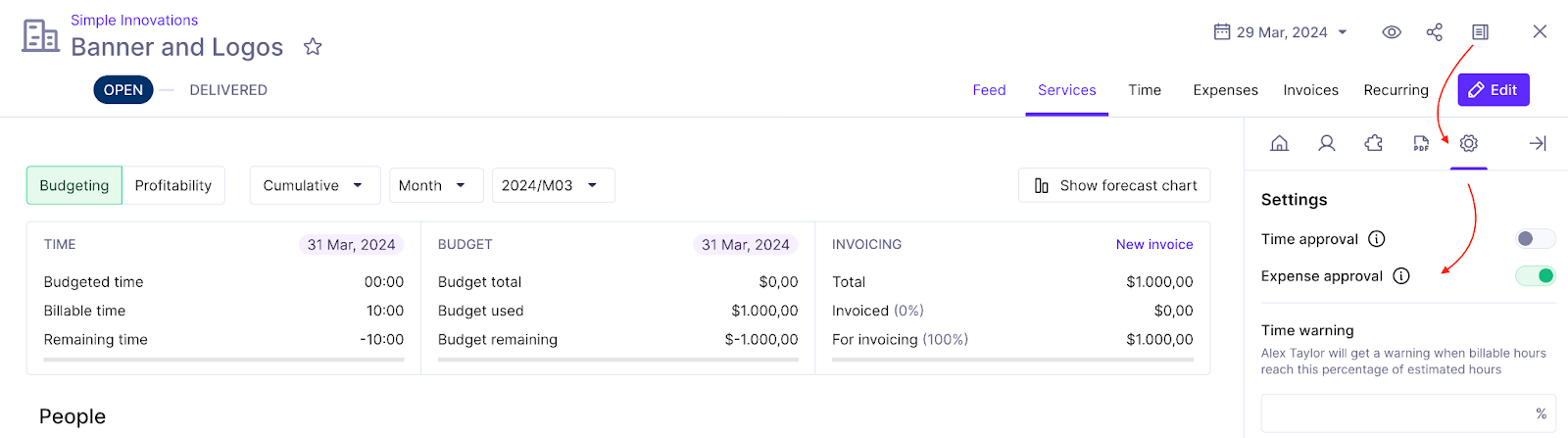
However, for resource scheduling, there isn’t any significant difference between the Professional and Ultimate plans. You’ll just get 10 scheduling placeholders (5 in the Professional).
Similarly, the plan allows you to schedule reports in email and Slack, which you didn’t get in the Professional. The other features are the same for both plans.
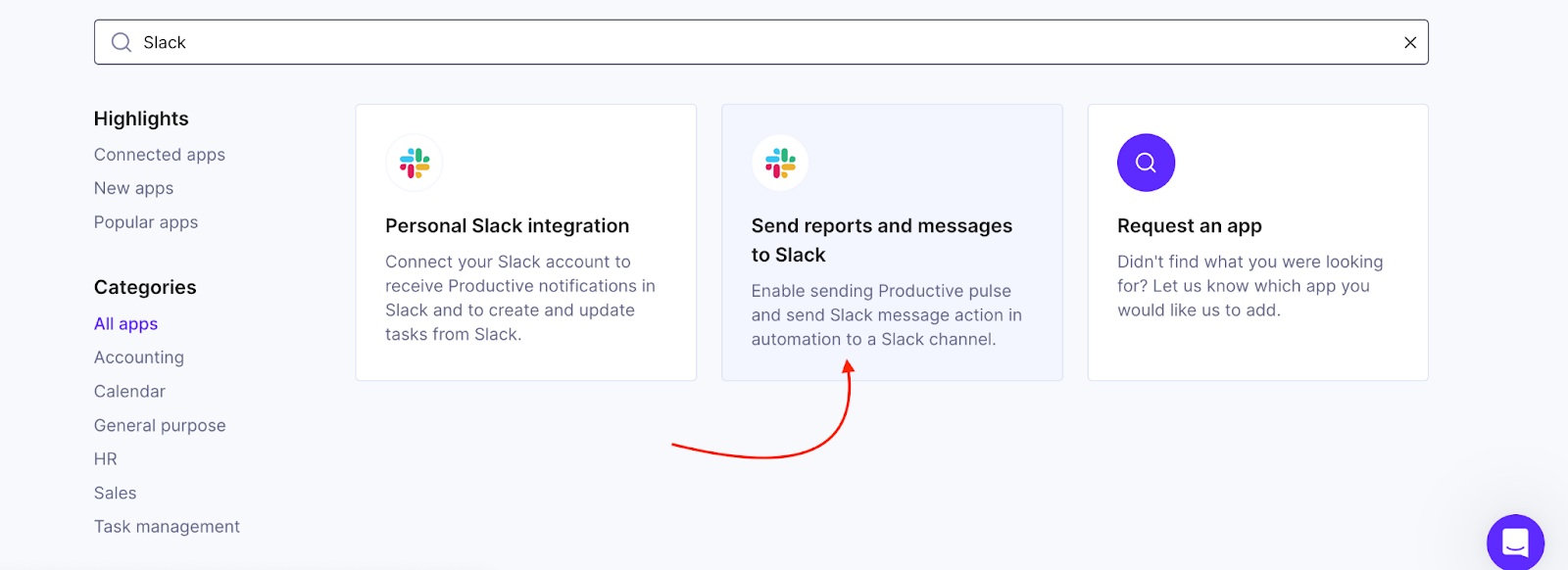
But interestingly, you can remove branding and customize the invoices in this plan. This is a step up for white-label branding.
Lastly, if you manage a remote team, this automatic time tracking will be a big savior. No need for manual start or stop hassle. You can also lock time so that no one can add or edit anything on the timesheet.
Features of the Ultimate Plan
The Ultimate plan is Productive.io’s advanced tier plan, offering full customization. Here’s a look at its features:
Everything included in the Professional plan plus:
- Advanced Task Workflows: Customize and automate complex project workflows. Ideal for agencies managing large-scale projects with intricate dependencies.
- Custom Fields: Add advance custom fields to tasks and projects. Tailor the platform to match your specific workflow and tracking needs.
- Financial Forecasting: Gain detailed insights into budget projections and profitability. Helps in making informed financial decisions for each project.
- Expense Approvals: Implement a more rigorous approval process for expenses. Ensures tighter control over project costs and financial management.
- Custom Rate Cards: Set up custom rate cards for various services and clients. Provides flexibility in pricing and ensures accurate billing.
- Advanced Resource Scheduling: Utilize custom placeholders and detailed forecasting. Efficiently allocate resources and manage team availability.
- Enhanced Reporting: Access advanced reporting features like multi-grouping and formula fields. Create detailed, customized reports for deeper operational insights.
- Remove Branding: Customize your invoicing and client communications. Present a fully branded experience to your clients, tailored to your agency.
- Webhooks: Integrate Productive.io with custom workflows. Automate tasks and connect with external tools seamlessly.
Pros of the Ultimate Plan
- Full customization of task workflows for complex projects.
- Advanced custom fields tailored to your agency’s needs.
- Detailed financial forecasting for accurate budget planning.
- Rigorous expense approvals ensure tight cost control.
- Custom rate cards for flexible and precise billing.
- Advanced resource scheduling prevents overbooking and underutilization.
Drawbacks of the Ultimate Plan
- Custom pricing can make budgeting unpredictable for some agencies.
- Extensive features may be overwhelming for smaller or less complex teams.
- Requires dedicated time and resources to fully utilize advanced capabilities.
Does Productive.io Have Hidden Cost?
The Productive.io cost per user is clear, but every plan needs at least 3 seats. Freelancers and contractors are billed at the same price as employees, while clients can be invited for free.
If you prefer paying by invoice through a wire transfer, this option is available. However, it’s limited to annual subscriptions with at least 10 user seats. This might be a consideration if your team is smaller or if you’re exploring different payment methods.
Beyond Productive.io’s predictable add-on structure, Moxo pricing shows how payment integrations come with layered costs. Credit card fees on top of subscription pricing can reshape the overall expense, especially if your business runs on high transaction volume.
Does Productive.io Offer a Free Trial?
Productive.io offers a free 14-day trial with no credit card required. There is no free plan.
No credit card is required to sign up, and you can cancel anytime during the trial period. This allows you to test the platform risk-free and determine if it’s the right solution for your agency before committing to a paid plan.
Is Productive.io Worth The Price?
A 10-person agency pays 10 times $10 per month on Essential ($100), or 10 times $25 on Professional ($250), billed yearly. The 3-seat minimum means a solo operator pays for three seats.
So, Productive.io can be a great investment, especially if your agency has specific needs. Here’s when it’s worth considering:
- Complex Project Management: Ideal for agencies handling intricate projects that require advanced management tools.
- Custom Workflows and Reporting: Offers detailed financial reports, custom workflows, and extensive resource scheduling.
- Scalability: Perfect for large or growing teams that need a platform that can scale with their operations.
- Customization: Suited for agencies that prioritize adaptability and need a solution tailored to their specific needs.
However, consider the following:
- Smaller Agencies: If you have straightforward needs, the higher-tier plans might offer more than necessary, and a budget-friendly option could be more practical.
- Learning Curve: The advanced features might have a steep learning curve, which could be challenging for some users.
- Cost Consideration: The per-user pricing can quickly add up, making it less affordable for growing teams.
In such cases, alternatives like Agency Handy or Scoro might offer similar capabilities without the extra costs associated with Productive.io’s higher-tier plans.
Top 3 Productive Alternatives & Budget Friendly Choices
If you’re exploring alternatives to Productive.io, here are three top tools that offer unique features and capabilities worth considering.
This was a quick comparison of the main alternatives to Productive.io. Let’s look into more in-depth details that will help you decide which option fits you best.
| Feature | Productive.io | Agency Handy | Scoro | Accelo |
|---|---|---|---|---|
| Free trial | 14 days | 7 days | 14 days | 7 days |
| Average cost per user | $21/month | $15/month | $33/month | Contact Accelo |
| Order management | ✅ | ✅ | ✅ | ✅ |
| Service listing and customization | ❌ | ✅ | ✅ | ❌ |
| Invoicing and subscription management | ✅ | ✅ | ✅ | ✅ |
| Minimum number of users in starter plan | 3 | 1 | 5 | Not mentioned |
Productive.io vs Agency Handy
When choosing between Productive.io and Agency Handy, it’s important to align their features with your agency’s specific needs.
Agency Handy excels in client onboarding with its customizable service catalogs and flexible client portal pricing. This makes it ideal for agencies needing a straightforward and efficient approach to managing client interactions.
While Productive.io offers advanced client management features like direct feedback within the platform, which enhances transparency and communication, it may not be as streamlined as Agency Handy for agencies focused primarily on onboarding.
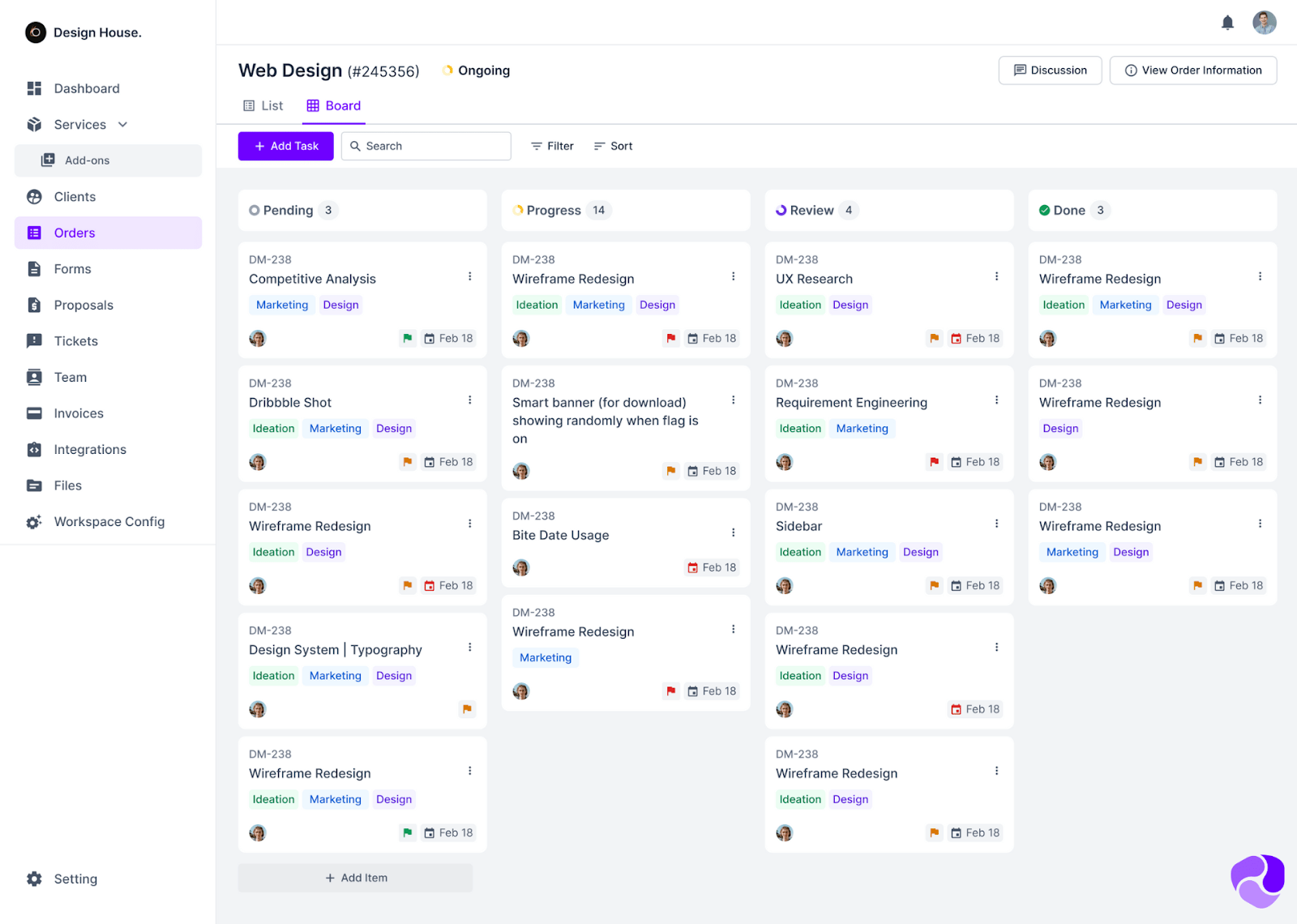
Agency Handy provides a focused approach to task management, offering built-in tools within its collaboration suite, including Kanban boards for visual task tracking. This ensures that tasks are clearly assigned and managed within customized team workspaces.
Further Read: 6 Best Agency Project Management Software in 2026
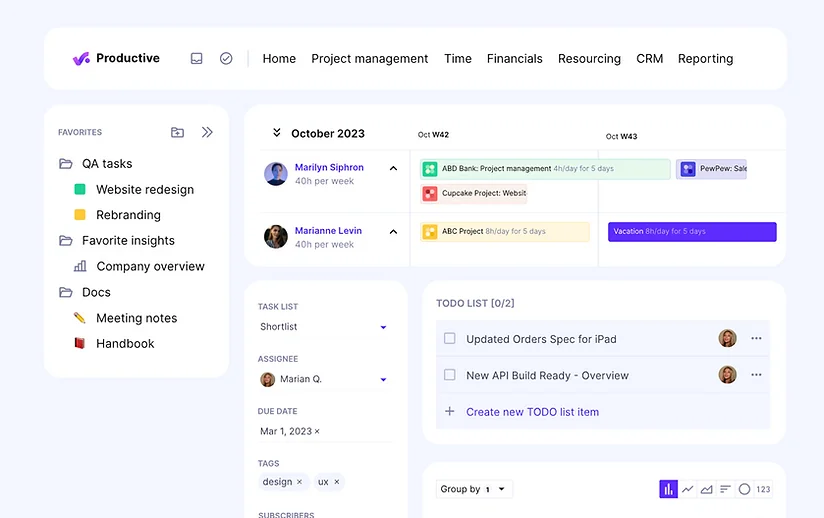
In terms of resource management, Agency Handy emphasizes team collaboration with straightforward task assignments and workspace customization. This approach helps keep teams organized without the complexity of extensive resource management tools.
Productive.io offers comprehensive resource scheduling features. These tools enable agencies to forecast availability and manage workloads effectively.
While Productive.io’s detailed tools benefit larger teams, Agency Handy’s simpler resource management is sufficient for smaller teams. It keeps them organized without requiring advanced planning.
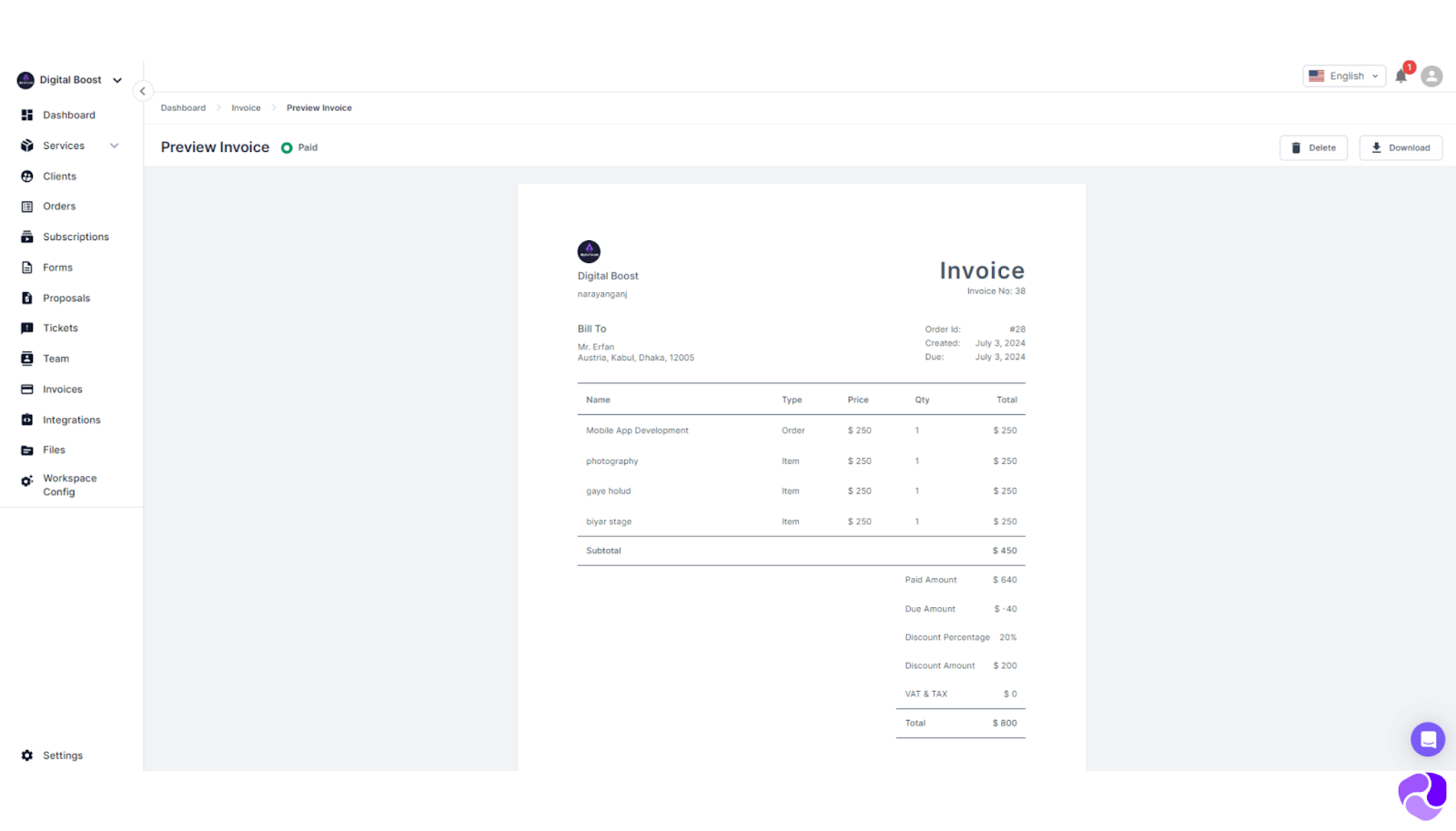
Agency Handy excels in financial management with its automated invoicing features that allow for customizable branding and split payments. This flexibility is particularly useful for agencies that manage multiple clients with varied billing needs.
According to user reviews, agencies appreciate the ability to tailor invoices and handle different payment structures. On the contrary, Productive.io offers more complex financial tools, including multi-currency invoicing, real-time budget tracking, and detailed financial reports.
Agency Handy’s collaboration tools, including Kanban boards and file sharing, are designed to enhance teamwork. They are especially effective for agencies with multiple teams working on different projects. These tools provide a straightforward way for teams to stay aligned and share resources effectively.
While Productive.io also supports real-time collaboration with document and task management, Agency Handy’s focus on simple, yet effective, collaboration features is more suited for agencies that prioritize ease of use and team coordination.
Productive.io is ideal for larger teams needing comprehensive management tools, while Agency Handy suits digital agencies focused on team collaboration and efficient client onboarding.
Productive.io vs Scoro
When you look at Productive.io and Scoro, each platform offers unique strengths tailored to different needs.
Productive.io’s project management is built for flexibility. It provides various task views like Kanban boards and timelines, making it a good choice for teams needing adaptable workflows.
Scoro, on the other hand, is designed for agencies handling long-term projects. It includes advanced tools like Gantt charts and milestone tracking, which are essential for detailed planning.
Productive.io shines in time tracking and invoicing. Its integrated tools ensure precise tracking, and its multi-currency invoicing gives you strong financial control across all projects.
Scoro takes financial management a step further with automated billing and advanced cost management. It’s particularly useful for agencies requiring comprehensive financial oversight, especially with complex billing needs.
The collaboration tools also set these platforms apart. Productive.io focuses on real-time collaboration, using AI-powered tools to enhance team communication and document management.
Scoro, however, excels in resource planning. Its advanced features help balance workloads, making it a strong option for agencies focused on efficient resource allocation and forecasting.
If your agency needs flexible project management and solid financial tracking across various tasks, Productive.io might be the right fit.
But if your work involves long-term, complex projects that demand advanced project management and financial tools, Scoro could be the better choice.
Productive.io vs Accelo
Choosing between Productive.io and Accelo depends on what your agency needs most.
Productive.io offers flexibility in project management. With various task views like Kanban boards and timelines, it’s perfect for teams that need to customize workflows to match their specific needs.
Accelo, on the other hand, is tailored for agencies focused on client work management. It comes with specialized tools like automated time logging and project scheduling, making it a great choice for service-based agencies.
When it comes to financial management, Productive.io provides detailed time tracking and invoicing, including multi-currency support. This ensures accurate financial oversight across all your projects. Accelo, however, shines with smart task scheduling and flexible billing options, which are ideal for agencies handling diverse client billing models.
For collaboration, Productive.io offers real-time document collaboration with AI-powered features, enabling efficient teamwork.
Accelo, in contrast, integrates deeply with client management. It offers automated project triggers and notifications that enhance client interactions and streamline project updates.
If your agency needs flexible project management and detailed financial tracking, Productive.io is likely the better fit.
But if you’re a service-based agency needing robust client management tools and smart scheduling, especially for ongoing client work, Accelo might be the stronger choice.
Final Thoughts
In conclusion, Productive.io is a strong choice for agencies needing a flexible, feature-rich management platform. It offers tools for managing complex projects, financial tracking, and team collaboration, with varied pricing tiers to suit agencies of all sizes.
Whether you need essential tools for a small team or full customization for a large organization, Productive.io has a plan that fits. However, alternatives like Agency Handy or Scoro might be worth exploring if your agency has simpler needs or a tighter budget.
Ultimately, the best platform depends on your agency’s specific needs, budget, and long-term goals. Evaluate each option to find the best fit for your business.
FAQs
Does Productive.io offer discounts for education, nonprofits, or charities?
Yes, Productive.io supports education and nonprofit sectors by offering free accounts to teachers and students. Nonprofits and charities can also receive a 50% discount on all subscriptions. Contact us for more details.
Is Productive.io right for you?
Productive.io is ideal for agencies of all sizes needing comprehensive tools for managing tasks, resources, finances, and client interactions. It’s especially suited for those handling complex operations that require detailed reporting and customizable workflows.
Does Productive.io offer discounts?
Yes. Annual billing saves up to 17%. Companies with 50 or more users can get a volume discount on Professional and Ultimate. Nonprofits and charities get 50% off, and teachers and students get free accounts.
Is Productive.io good for small businesses?
Yes, Productive.io is a solid choice for small businesses needing robust project management and financial tracking tools. The Essential plan, priced at $10 per user per month (billed annually), offers key features at an affordable price, though other platforms may meet simpler needs.
How much does Productive.io cost for a 20-person team?
On yearly billing, 20 users cost 20 times $10 per month on Essential and 20 times $25 on Professional. See the cost-by-team-size table above. At 50 or more users, you can ask Productive for a volume discount.