 Skip to content
  Get the best 3-year deal NOW →

7 Best Service Provider Pro Alternatives and Competitors
If you want to learn more about SPP alternatives, this section will review some of the most popular client portal software options for productized services. Before you proceed, keep your priorities straight about things that you have to do when dealing with clients.
Quick List of Top Alternatives to Service Provider Pro
- Agency Handy: All-in-one client portal for clients, projects, team, billing, and productized services.
- Copilot: Modern client portal with billing, messaging, and embedded app support.
- SuiteDash: Highly customizable all-in-one business dashboard for CRM, invoicing, and client portals.
- ManyRequests: Service request and client portal tool for creative and marketing agencies.
- Kitchen.co: Client communication and project collaboration platform for design and dev teams.
- UseQueue: Simple request queue system for creative teams handling unlimited tasks.
- Moxie: Freelancer platform for proposals, contracts, time tracking, and client billing.
Comparison Table of Top 7 Service Provider Pro Alternatives
Tool | Automated Client Onboarding | Multipackage Service Catalog | Client Portal | File Feedback and Approvals | Starter Plan Pricing | User Rating |
Service Provider Pro | ✔️ | ✔️ | ✔️ | ❌ | $129/month | 4.4/5 |
Agency Handy | ✔️ | ✔️ | ✔️ | ✔️ | $29/month | 4.9/5 |
Copilot | ✔️ | ❌ | ✔️ | ❌ | $59/month | 4.8/5 |
SuiteDash | ❌ | ❌ | ✔️ | ✔️ | $19/month | 4.8/5 |
ManyRequests | ❌ | ✔️ | ✔️ | ✔️ | $29/month | 4.4/5 |
Kitchen.co | ❌ | ❌ | ✔️ | ❌ | $29/user/Month | 4.6/5 |
Use Queue | ✔️ | ❌ | ✔️ | ✔️ | $49/month | 4/5 |
Moxie | ✔️ | ❌ | ✔️ | ❌ | $12/month | 4.8/5 |
7 Best Service Provider Pro Alternatives and Competitors
1. Agency Handy
Best Alternative to Service Provider Pro for Agencies
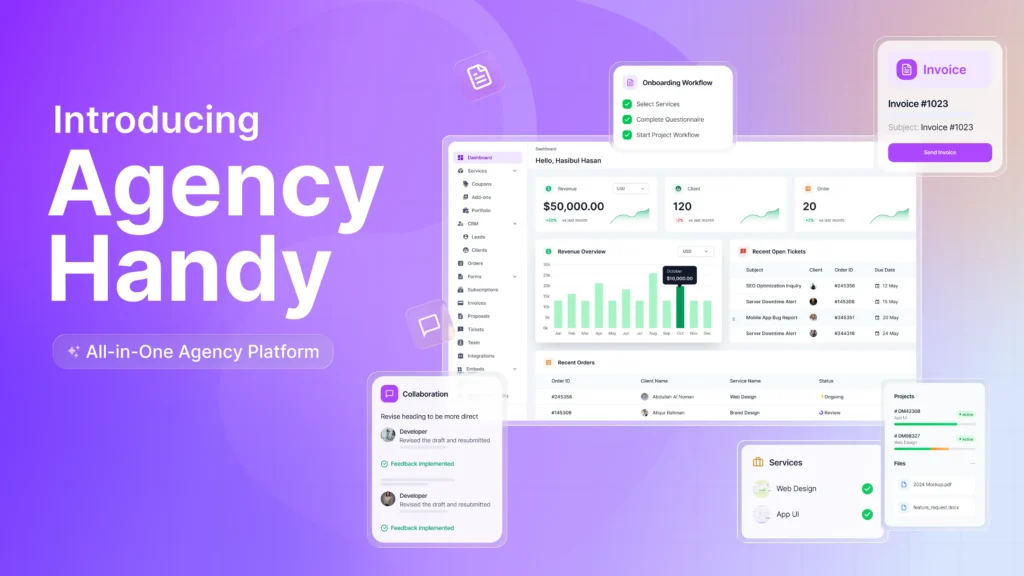
Agency Handy is a modern client portal platform built specifically for productized service agencies that need more than just project tracking.
It combines lead management, client onboarding, payment, project management, and team collaboration in a modern user interface. You can sell productized services, manage subscriptions, and much more.
Agency Handy allows you to create a service catalog. For digital agencies providing a number of services, it’s really a valuable feature for conversion.
Clients can check those services, select preferred ones and proceed to pay via Stripe, PayPal, Wise, ACH, or cards—without platform fees. The platform automates client onboarding, without needing to do anything from the admin side.
Compared to SPP, you can add more team members. Where the SPP $129 plan allows only 5, you can add 10 team members with Agency Handy $99 Team Starter plan. You can add up to 30 internal users, spending just $199 with Agency Handy.
Key Features of Agency Handy
To efficiently handle all your client work, Agency Handy comes with the following features –
Multi-package Service Catalog

Agency Handy allows you to list all your services in a clean, multi-package catalog with pricing, descriptions, and variants. You can embed it on your site or just share the link. It’s ready to sell your services wherever your audience is.
Client Onboarding with Custom Forms
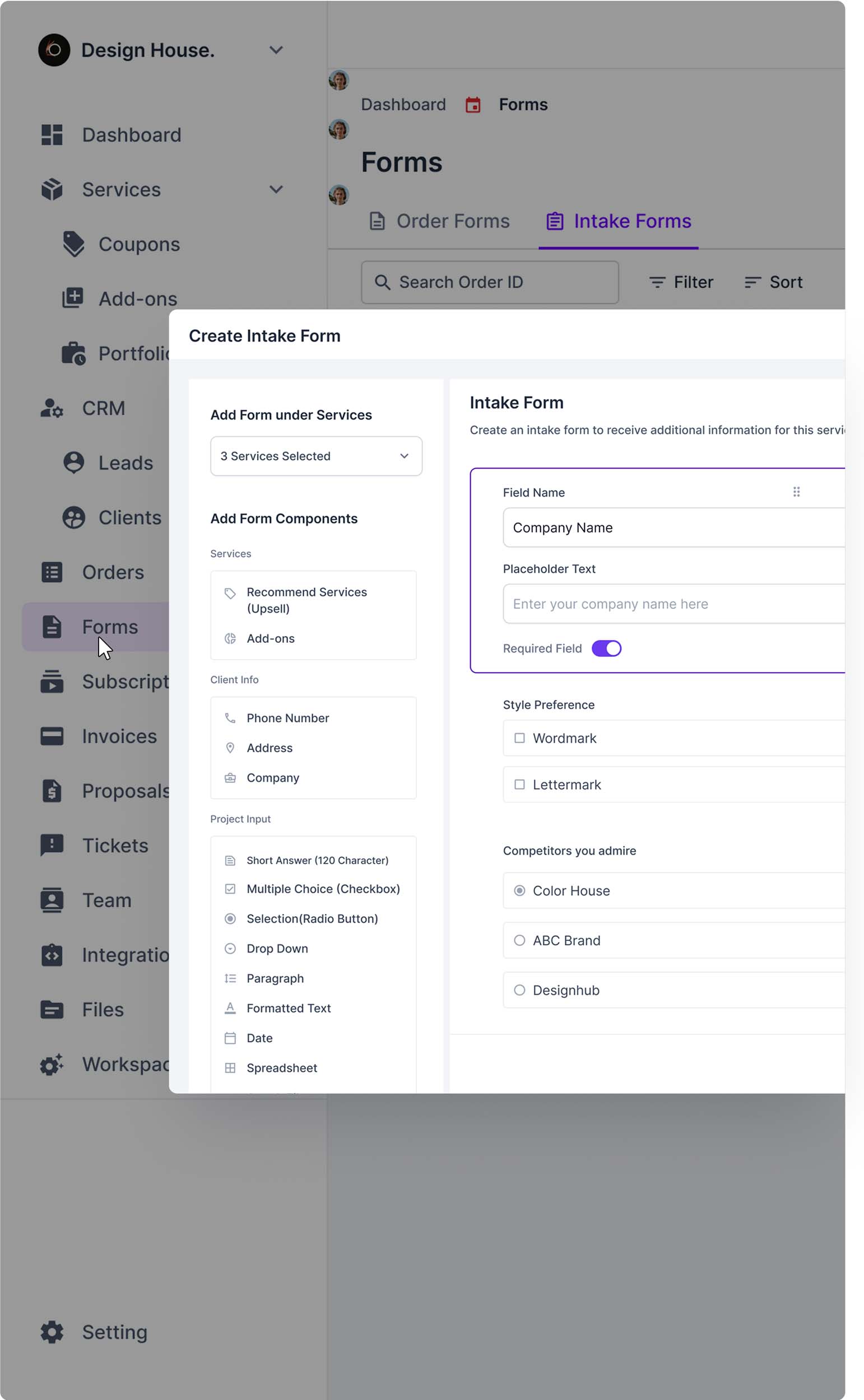
Depending on the type of project, you can create custom forms and intake questions to collect everything you need before proceeding to tasks. You can customize these forms by adding all essential elements like multiple-choice fields, plain texts, drop-downs, and file uploads.
White-label Remove “Powered-by”
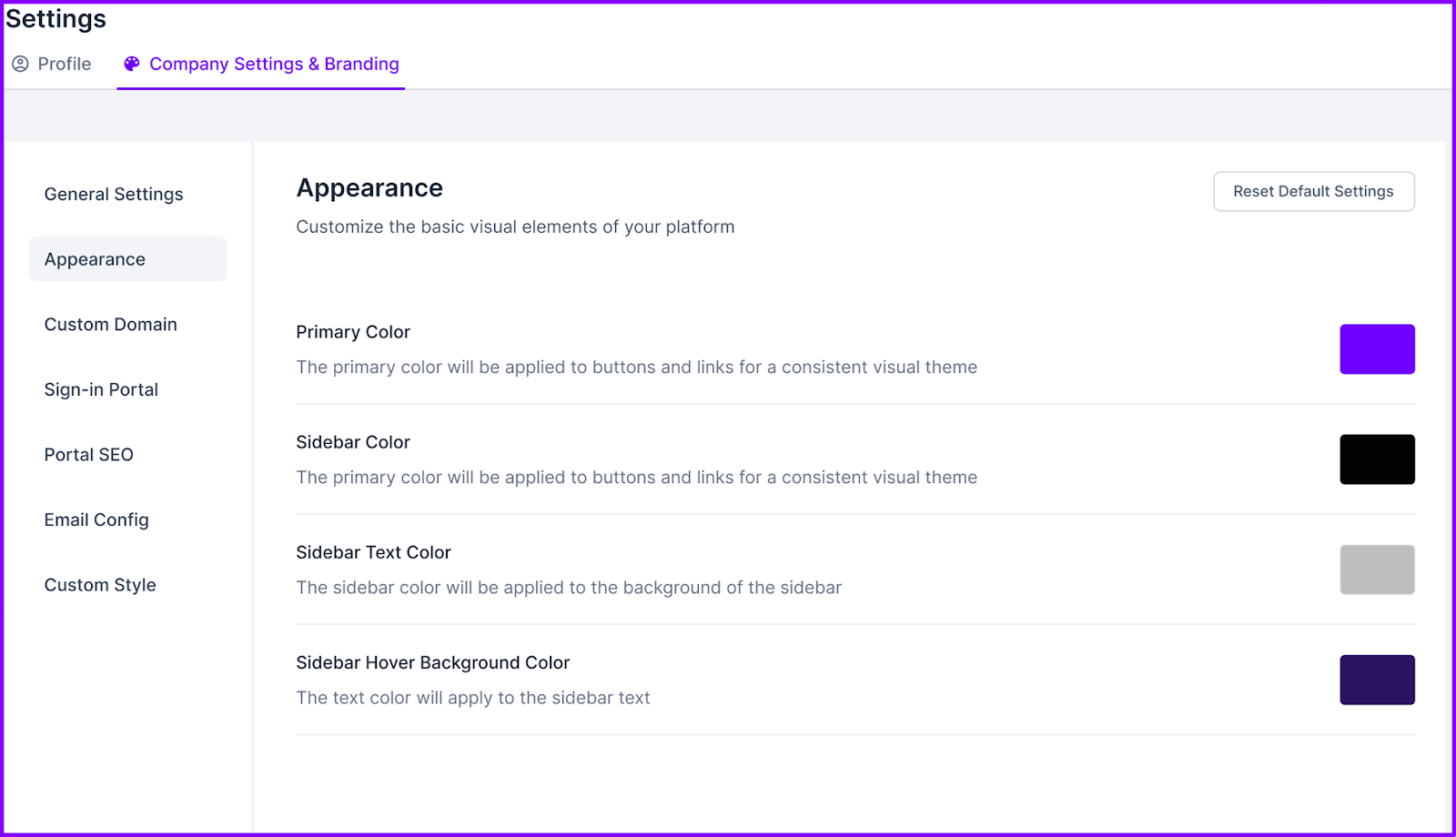
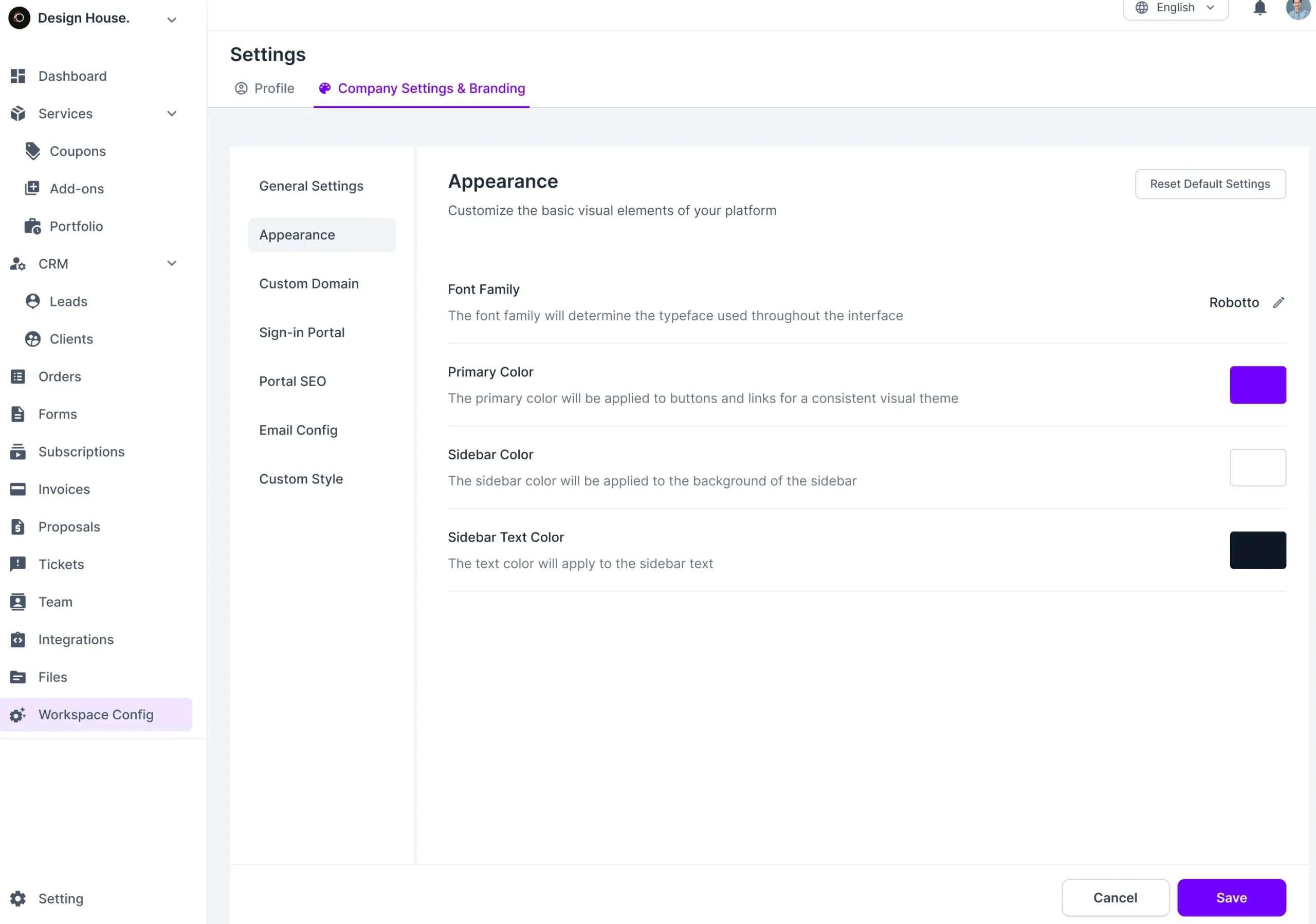
Brand everything as your own. From the client portal to proposals, your logo and colors stay front and center. For white-label customization, Agency Handy is a worth it Service Provider Pro. Agency Handy removes “Powered By” at $99. Whereas, SPP costs $1500 to remove “Powered By SPP”.
Task and Project Management
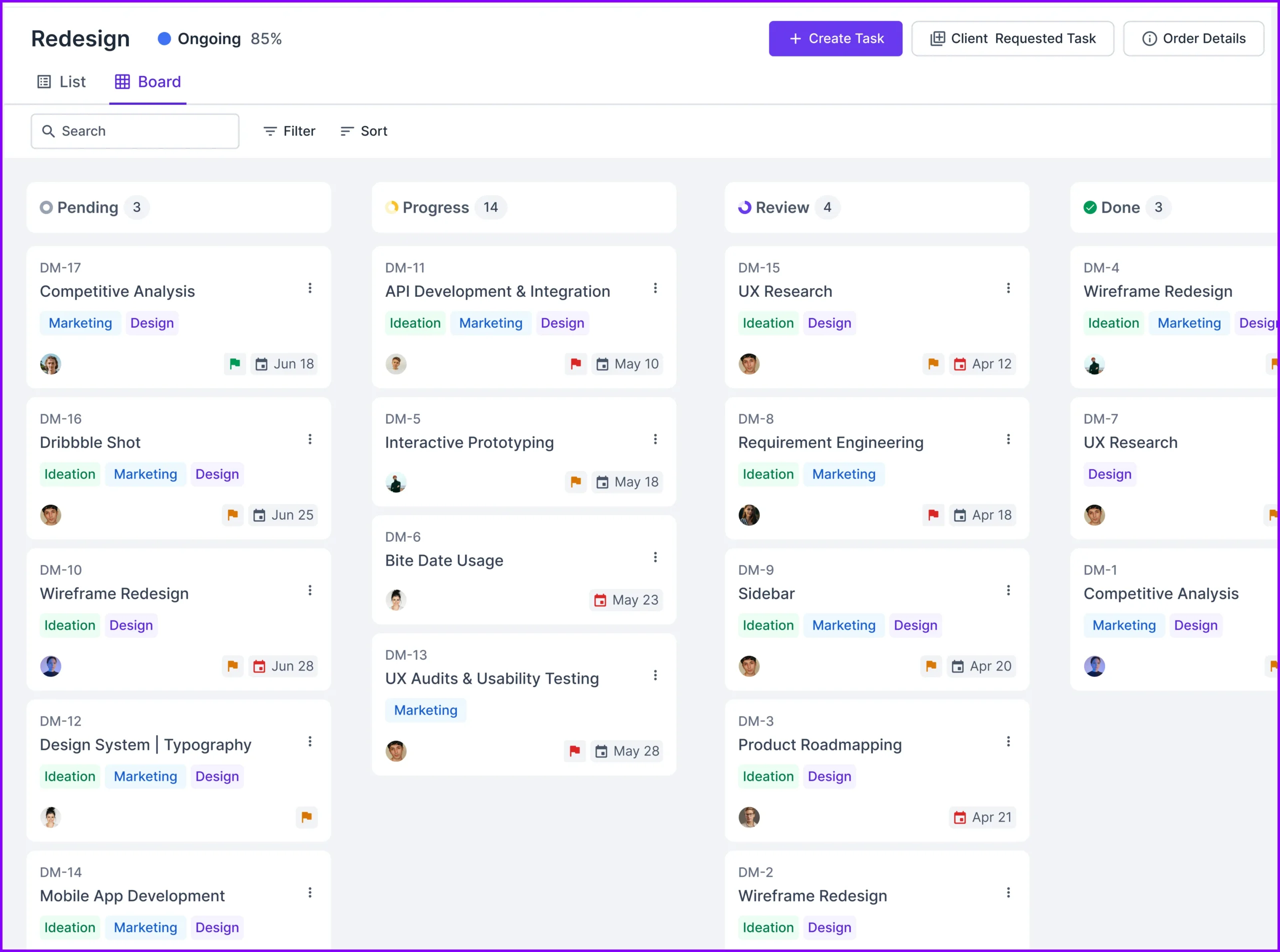
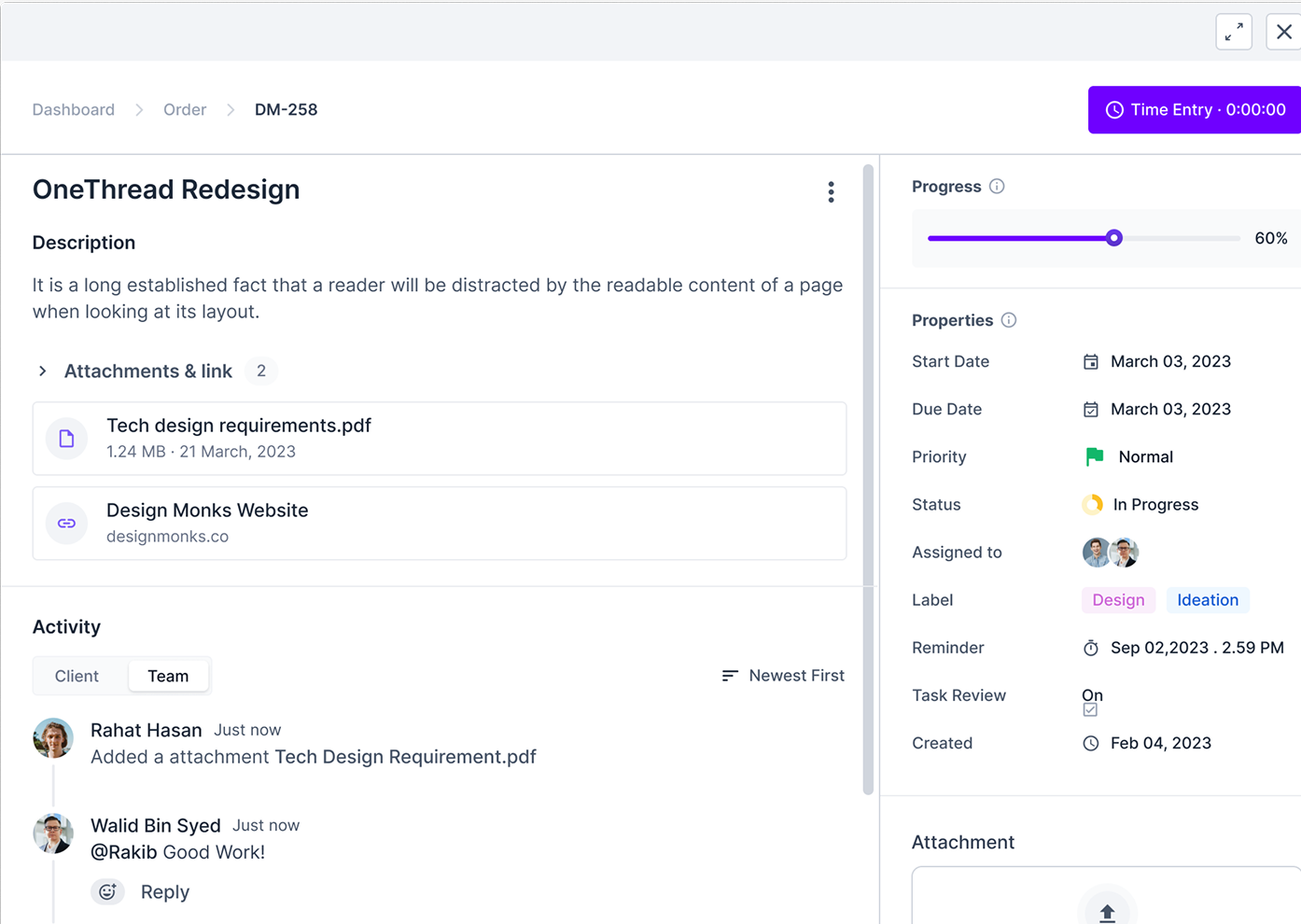
Agency Handy uses visual Kanban boards to track what’s pending, in progress, and done. Both your team and clients can track project updates real-time. Being an over-expensive platform, SPP doesn’t come with the Kanban board in its order management.
Client and Team Collaboration
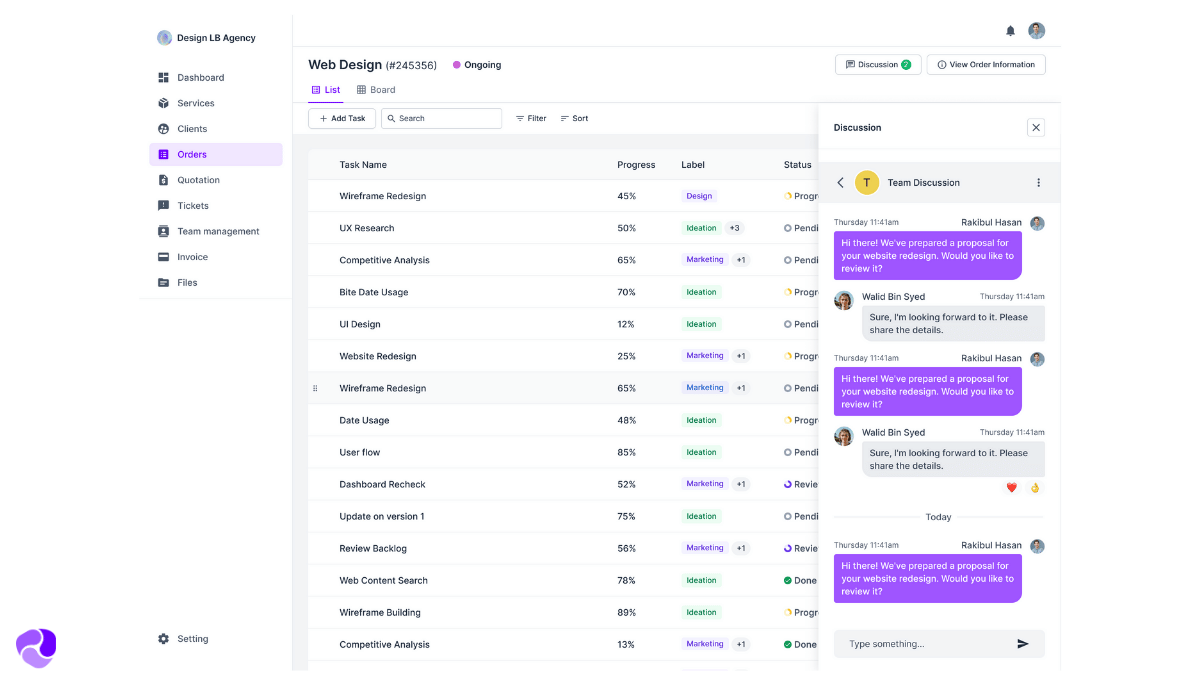
Add your team and assign roles as per the pricing plan you go with. You can assign your team members’ and clients’ roles and responsibilities. Everyone stays on the same page. Clients can send messages to the person responsible for their projects. Your team can send messages to clients or the team only.
Team Management
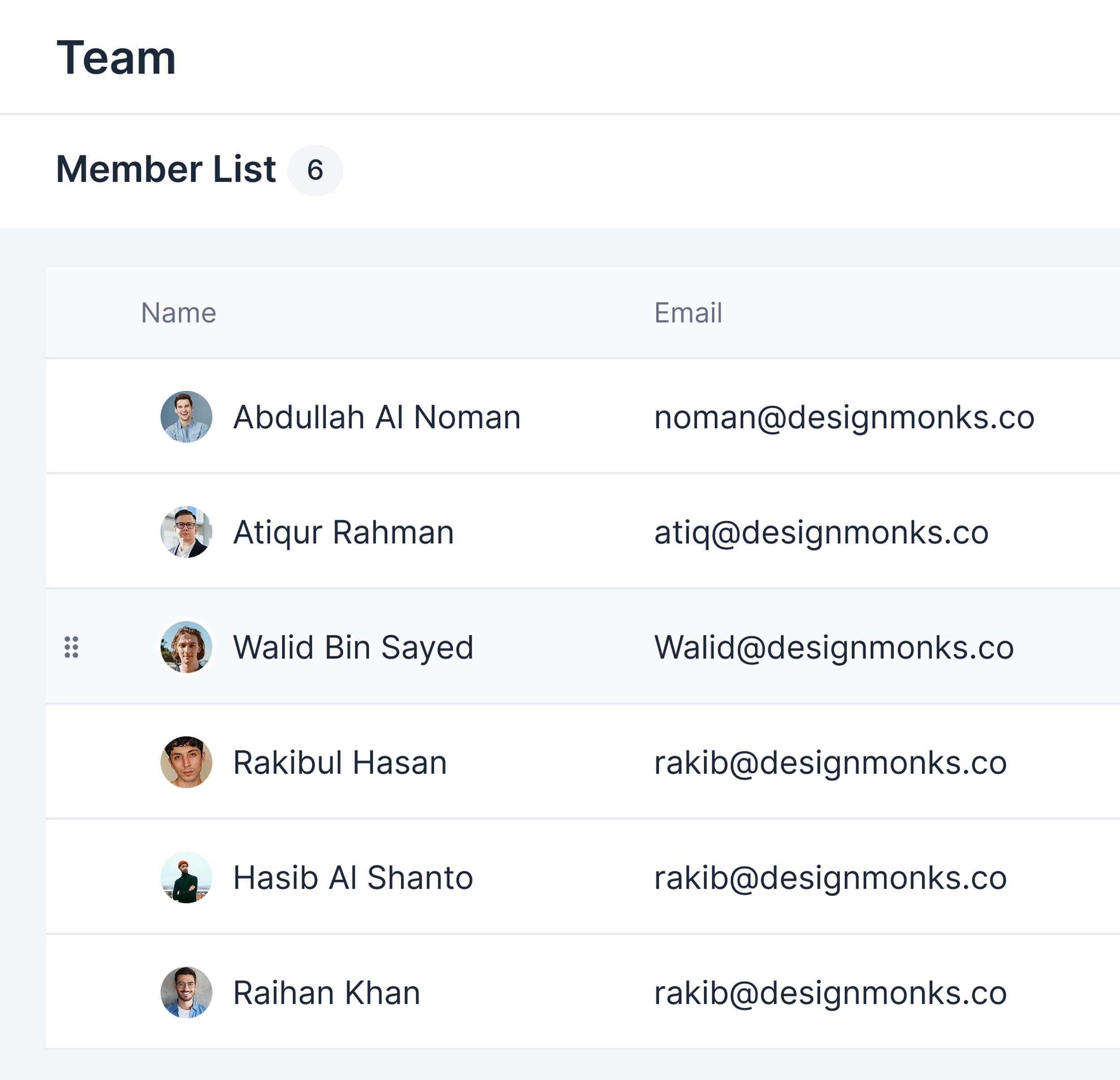
Agency Handy Team Starter plan allows you to add up to 10 team members. Whereas, most client management software, including SPP, doesn’t allow adding more than 5 users at similar price points.
If you own a large agency, our Business Pro plan will accommodate up to 30 users.
Agency Handy Team Starter vs Service Provider Pro Basic
Tool Name | Team Member | Price |
Agency Handy | 10 | $99 |
Service Provider Pro | 5 | $129 |
Agency Handy Business Pro vs Service Provider Pro
Tool Name | Team Member | Price |
Agency Handy | 30 | $199 |
Service Provider Pro | 10 | $299 |
Client Portal
Give clients their own portal to check progress, drop feedback, and approve work in real time. It’s user-friendly and branded. You can efficiently manage the workflow without emails.
Invoice and Subscriptions
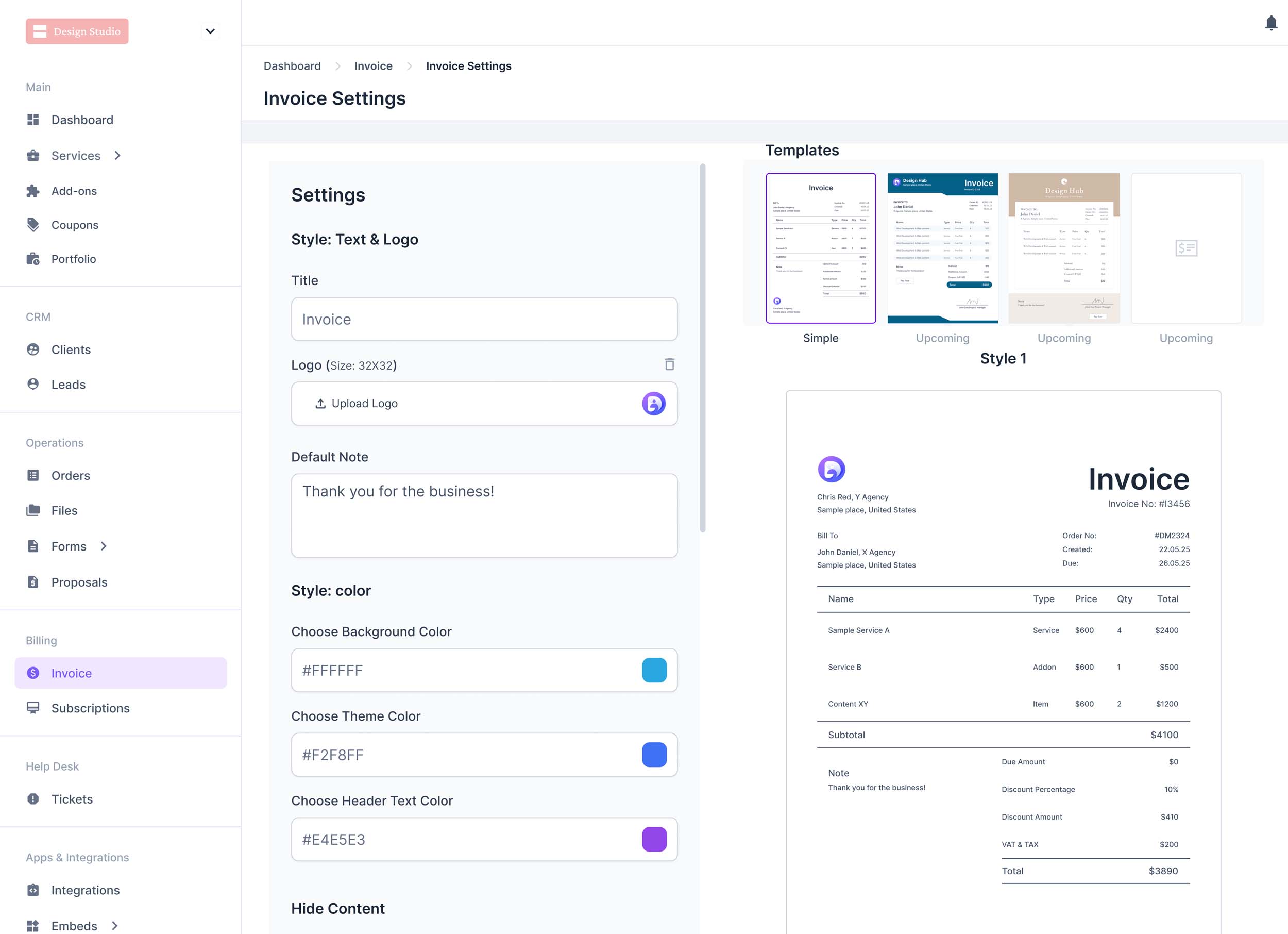
Send clean, professional invoices fast with Agency Handy. Want to bill weekly, monthly, or once? You can. Clients can pay through Stripe, PayPal, Wise, cards, or ACH. Agency Handy doesn’t charge platform fees for it.
You can manage clients subscriptions for both one-time and recurring payments. Pause their subscriptions, resume, and cancel as per required.
File Feedback and Approvals
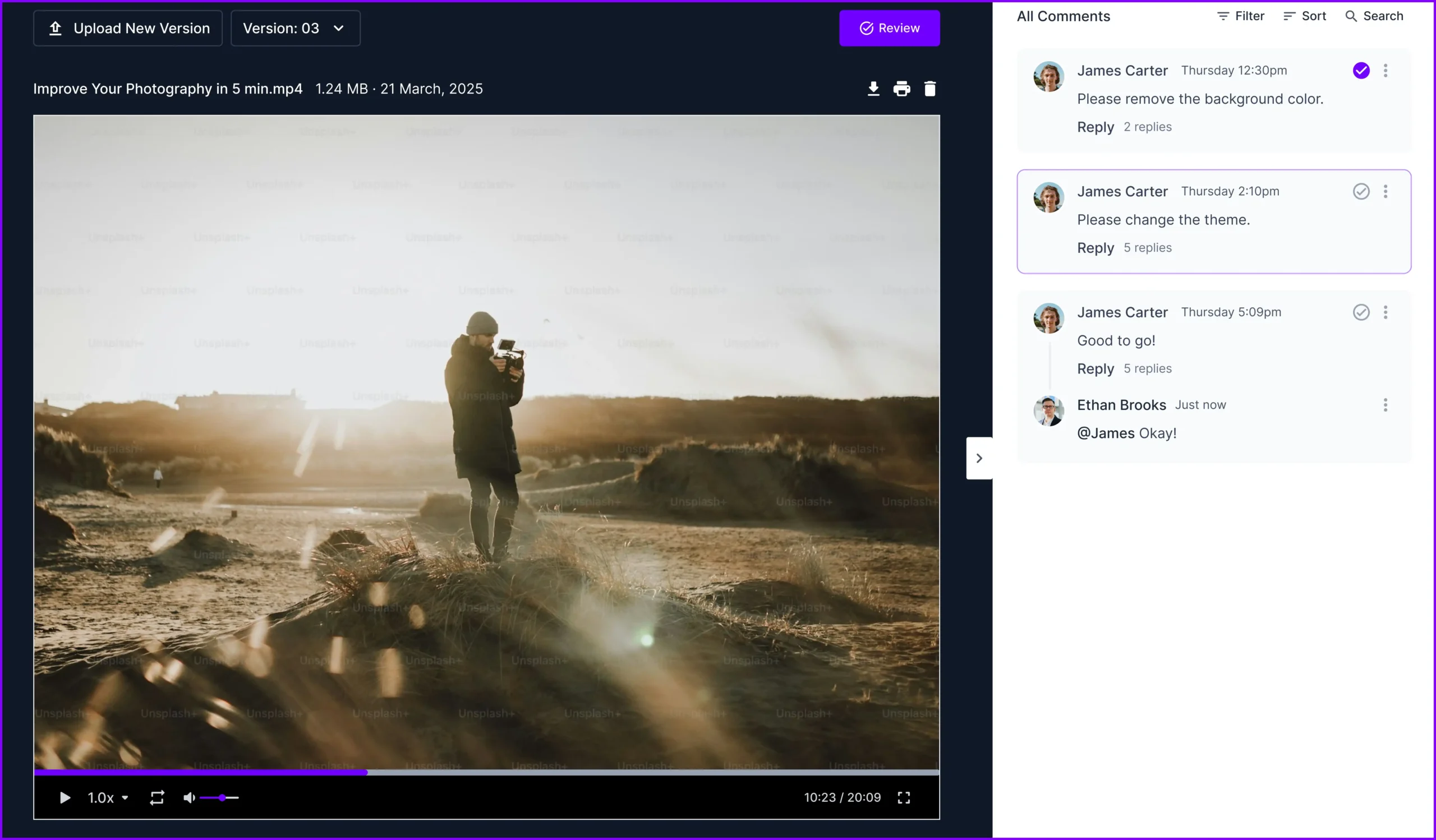
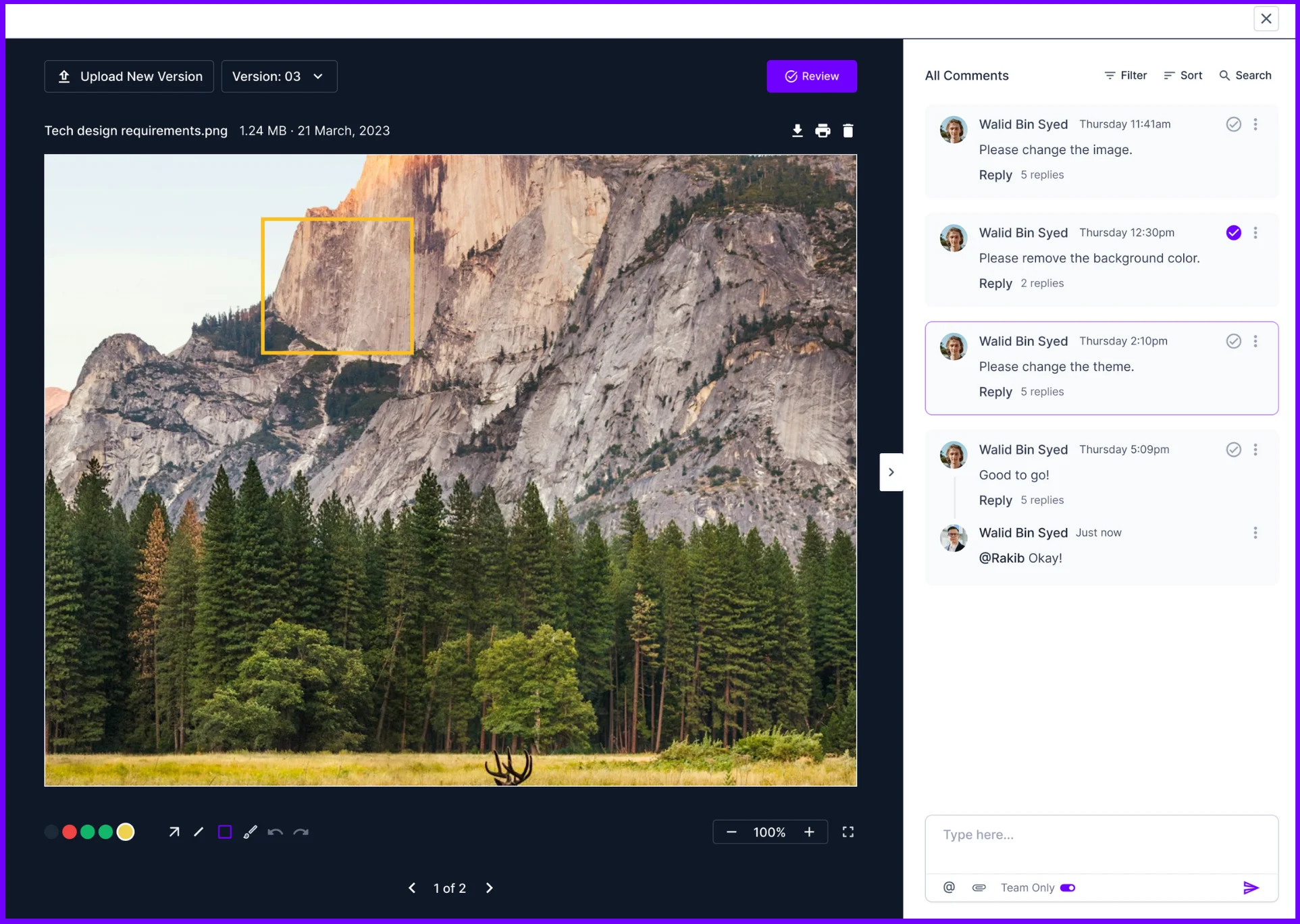
Comment, annotate, and manage versions all in one place. This significantly reduces revision time and file back and forth. Different versions of files will be saved. You can always roll back to a previous version if needed—storage scales with your plan: 100 GB, 2 TB, or 10 TB.
Reporting and Analytics
Get instant insights into what’s working from the Agency Handy dashboard. From project profitability to team output, Agency Handy gives you the data to make smarter, faster decisions for your agency.
Agency Handy also comes with the following features –
- CRM
- Time tracking
- Unlimited clients and projects
- Add-ons on service orders
- Ticketing support
- API integration
- Wise, Stripe, PayPal, Crypto, and banks
- Embed popular web applications
Pros
- Service selection to billing is automated
- Nurtures leads through lead management
- Kanban board gives real-time project updates
- Custom emails and domains can be added
- Multi-currency support
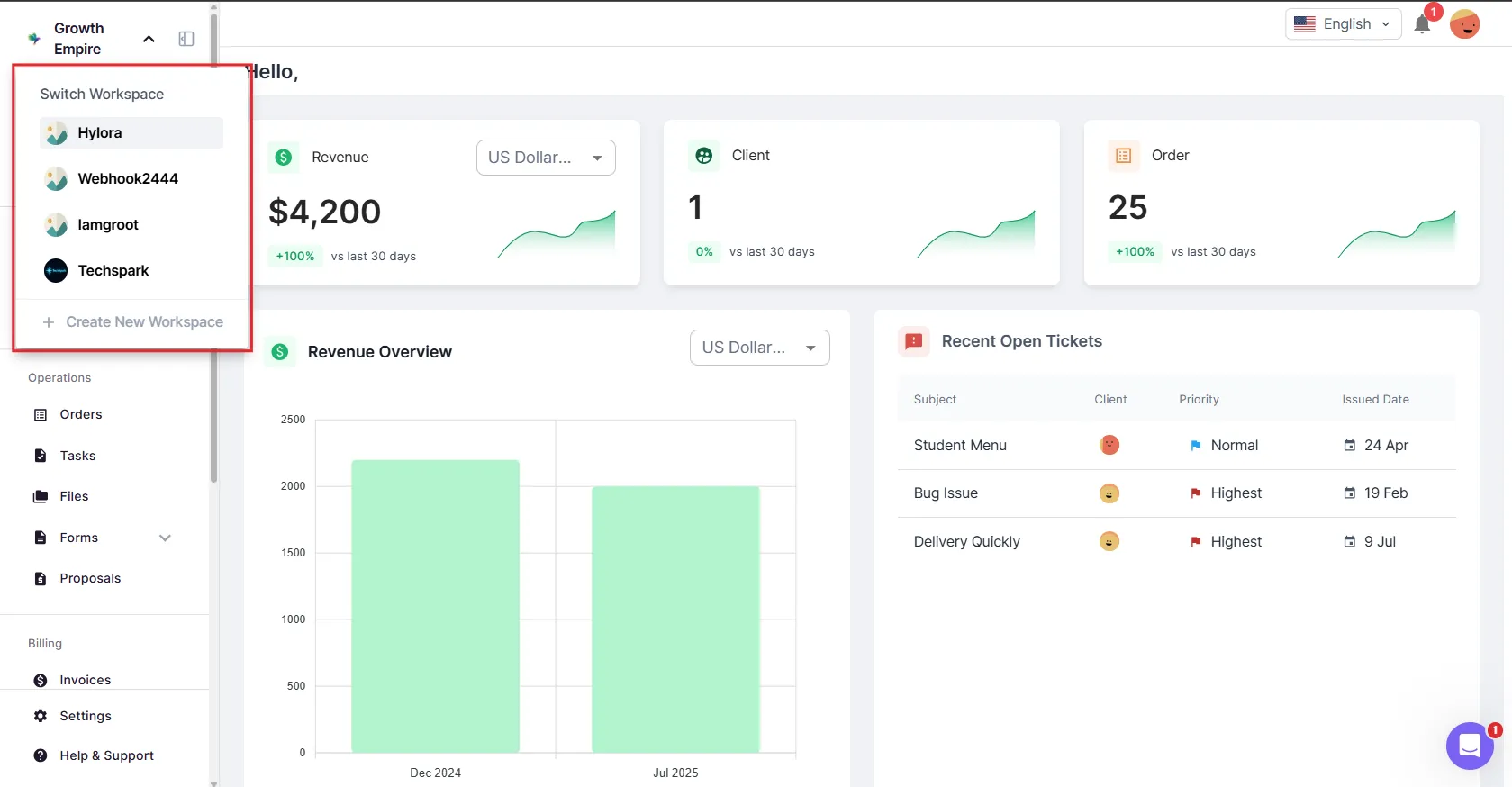
- Separate workspace for multiple brands
Who Benefits from Agency Handy
- Freelancers: For managing clients, tasks, branding, and payments in one workspace.
- Small to Mid-Sized Agencies: For handling up to 30 team members, client onboarding, and service delivery.
- Marketing Teams: For offering productized services, tracking progress, and sharing deliverables.
- Design Studios: For feedback on files, version control, and client approvals.
- Development Firms: For project tracking, client communication, and recurring billing.
- Content Agencies: For managing service catalogs, content drafts, revisions, and client feedback.
- SEO Agencies: For delivering reports, managing subscriptions, and getting feedback in one place.
- Video Production Teams: For file sharing, client reviews, and stage-based project updates.
Why is Agency Handy Better than Service Provider Pro?
As a Service Provider Pro alternative, Agency Handy is better for following reasons –
- Complete white-label branding with Agency Handy’s Team Starter plan at $99/month
- Support for up to 10 users with the Team Starter plan at $99/month
- Adding up to 5 workspaces to manage different brands
- Getting priority support
- Able to manage projects more efficiently
What Users Say About Agency Handy
AppSumo: 4.5 out of 5
“Had a technical issue with my account and reached out to support. I got an answer right away from Hasib. You were really helpful and instantly fixed the problem. Knowing that I have a person on the other side actually fixing things if something goes wrong is a big plus for me.
Besides that, the combined features that Agency Handy has can be bought individually here on AppSumo for a way higher price than the Tier1. So money is well spent here.“ – StoicSamurai
Trustpilot: 4 out of 5
“Highly recommend. Agency Handy is perfect for any type of creative studio, they offer a lot of features which will make your agency actually complete. You won’t regret it.” – Michel Pronk
G2: 4.9 out of 5
“I had some challenges while setting up my account and they are able to fix it up. Also, they are serious with the project by listening to customer’s feedback and incorporating them in their development.
Their founder is also helpful, since day one, Rashik has been assisting whenever I contact him for help. I will definitely recommend the tool and it’s also affordable compared to other competing products.” – Franklin N.
Agency Handy Pricing Plans
- Freelancer: $29/month
- Team Starter: $99/month
- Business Pro: $199/month
2. Copilot
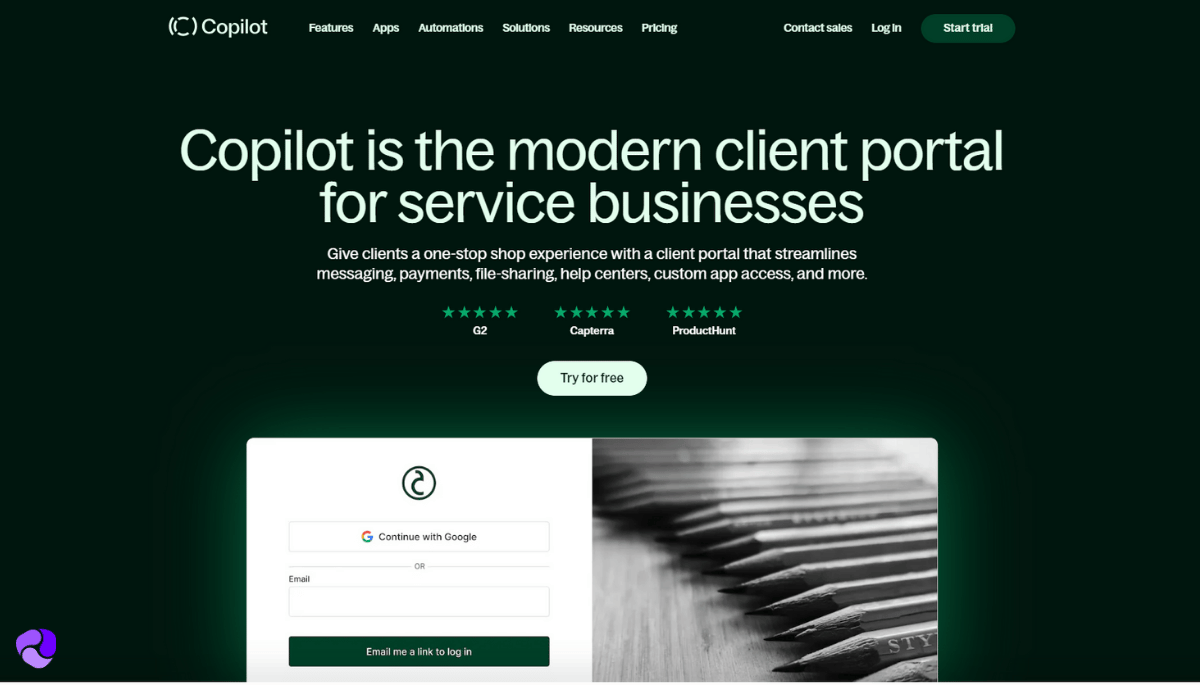
One of the most selling points of Copilot is its minimalist interface as a client portal for small businesses. And it’s easy to learn for clients as well.
For task management, they have a Kanban board view to let you know what tasks are pending, in progress, and completed. Clients can create tasks from their end easily through the client portal.
Copilot also allows creating unlimited contracts with required inputs, autofill fields, and more.
For integration, Copilot includes Zapier. You can embed web applications that you used for previous client interactions.
When it comes to adding internal users, Copilot is quite expensive. Their top-tier plan only allows 5 users at $399/month. But there’s no limit on adding users if you go with the custom Enterprise plan.
Key Features of Copilot
You will get the following features using Copilot –
Sleek and Customizable Client Portal
Copilot has the most sleek-looking client portal. Clients find it easy to use. This helps build trust and a strong brand from the start.
They bring many key client tools together. It handles client onboarding, messages, billing, and file sharing.
Forms and Contracts
As a mid to large-sized agency, you will have to deal with a wide variety of clients. For this, Copilot allows creating forms and contracts as many as you like. There are various inputs to choose from to make these forms custom tailored for particular industries.
Maximum Client Portal Customization
Copilot uses modular apps, like building blocks. This lets you customize the client portal as per your convenience. You can also turn any features on or off. This changes how your portal looks and works.
Automated Onboarding and Updates
You can use APIs and triggers to automate client onboarding and billing. Also, clients get work updates across services.
Copilot’s other worth mentioning other features are –
- Branded Experience
- Invoicing & Subscriptions
- Secure Messaging
- File Sharing
- Client CRM
- Workflow Automation
- Zapier integration and custom apps
Pros
- Pay easily with Stripe
- All messages stay in one place
- Forms help you add new clients easily
- A CRM tracks what clients do
- Add forms, Calendly, or videos easily
- Web applications integration through Zapier
Cons
- No white-label support with entry-level plans
- Messaging app doesn’t allow member tagging
- Expensive per user cost for agencies
Why Copilot is Better than Service Provider Pro
Copilot has the upper hand over SPP on the following CRM aspects –
- Modern and sleek looking design of client portal
- Certain tasks can be automated
- Allows robust customization to change how the client portal looks, without coding
What Users Say About Copilot?
Capterra: 4.7 out of 5
“The portal has made it super easy to navigate with clients that aren’t the best with technology or have to rely on something like google drive to share files.“ – Myles D
G2: 4.8 out of 5
“We’ve recently started using Copilot as our onboarding portal at 19 Six Media, and it’s been a game-changer. The platform is incredibly intuitive and easy to set up—perfect for creating a smooth, professional experience for new clients.” – Natalie A.
Who Benefits Most from Copilot?
- Marketing Agencies: For client reports, updates, content delivery, and billing.
- Accounting Firms: For secure document sharing, invoices, and client messages.
- Consulting Firms: For sharing resources, project updates, and handling billing.
- Law Firms: For secure document exchange, intake forms, and private talks.
- Coaching Businesses: For sharing materials, scheduling sessions, and payments.
- Startups: Looking for a polished client solution without building it themselves.
- Real Estate Firms: For client communication, payments, contracts, and resource access.
Copilot Pricing
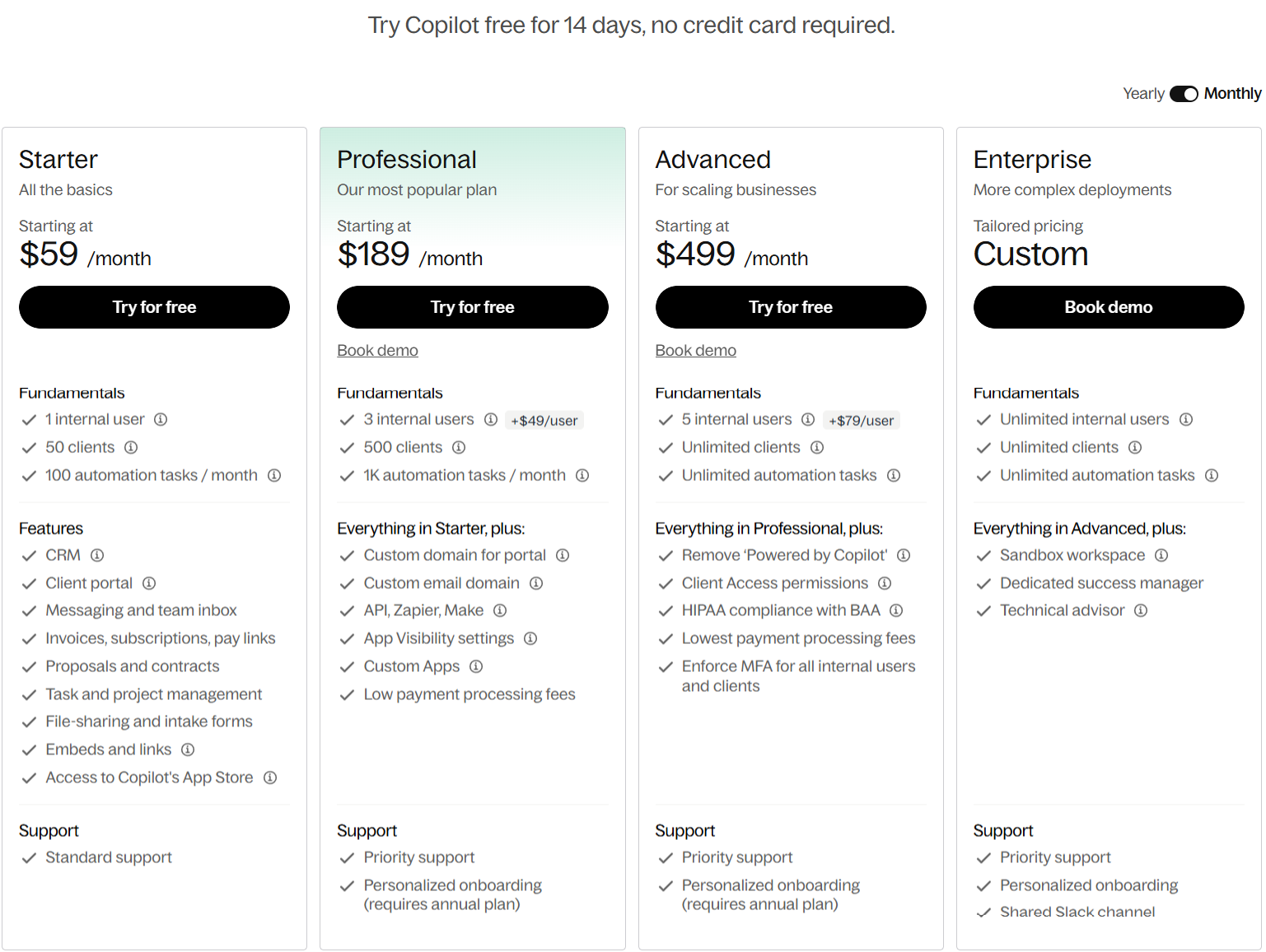
Copilot offers four different pricing plans.
Starter
- $59/month billed monthly
- $39/month billed yearly
Professional
- $189/month billed monthly
- $149/month billed yearly
Advanced
- $499/month billed monthly
- $399/month billed yearly
Enterprise: Custom pricing
3. SuiteDash
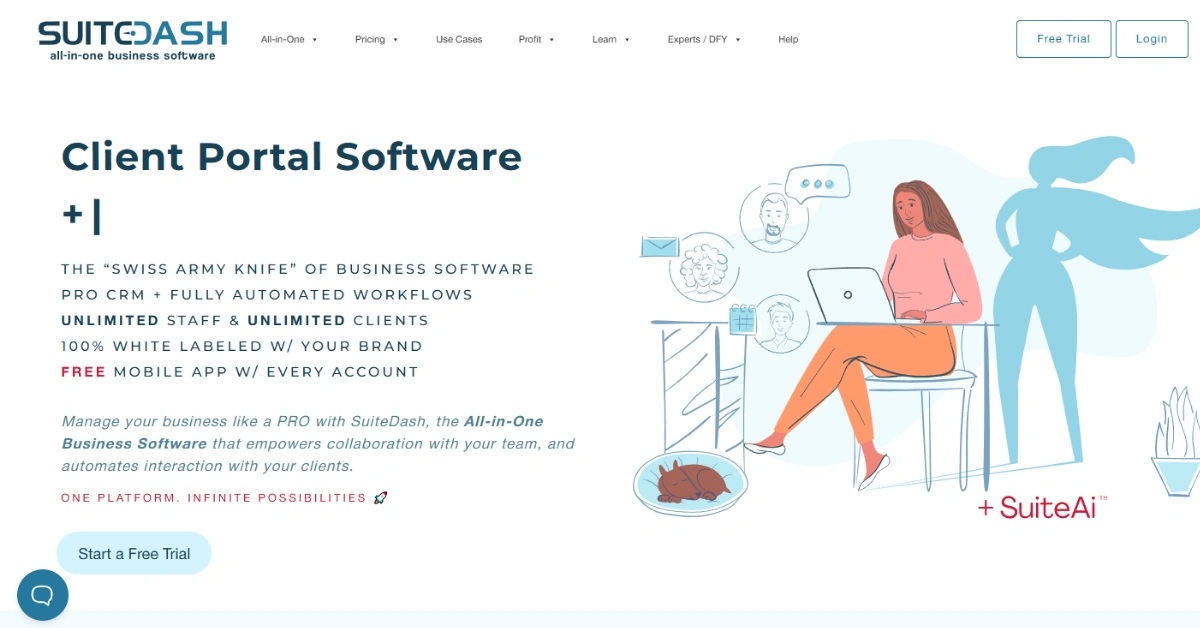
SuiteDash is one of the very few client management apps that costs insanely low compared to others. And it comes with helpful business management features.
If your work is related to business operations, Suitedash can be an ideal SPP alternative to consider.
As mentioned, this tool is extremely low priced compared to what it comes with. You can apply complete white-label branding throughout the platform and client portal from the basic plan, making it a worthy Moxo alternative.
Plus, the client onboarding process is automated with Suitedash, saving your team time from repeated admin tasks. You can also select trigger-based automation, like what happens if a form is submitted or signed.
For project management, this tool comes with a Kanban board. Set or update projects’ status by dragging and dropping on pending, ongoing, and complete boxes.
Key Features of SuiteDash
Being one of the most affordable CRMs, SuiteDash comes with the following features –
Web Apps Integration
SuiteDash pulls all your essential apps into one place. This saves you money on subscriptions and simplifies your workflow.
White-label Client Experience
This is one of the few client management apps offering white-labeling from its basic plan (starting at $19/month). Your clients get their very own dedicated online space, totally branded with your agency’s look and feel.
Automates Client Onboarding
SuiteDash makes client onboarding super easy by automating the entire process. From sending contracts to collecting initial info, it guides new clients, so you can get started faster.
Tracks Payments and Predicts Cash Flow
SuiteDash handles your billing, subscriptions, and client payments directly in the portal. The tool sends automatic payment reminders to clients. Also, informs you of predictable cash flow.
Manages Email Marketing Campaigns
SuiteDash comes with tools for managing email campaigns and drip sequences. This feature alone significantly helps you with client outreach as well as communication.
You will also get the following features from SuiteDash –
- Unlimited internal users
- Service Listings via Funnels
- Client portal
- Custom Intake Forms
- Complete Project & Task Management
- Automation via Flows & Triggers
- Proposal & Contract Builder
- Support tickets
Pros
- Automates admin tasks
- Faster Client Onboarding
- Organized Client & Sales Data
- Personalized Client Experience
- Consistent Cash Flow
Cons
- Limited template designs for email marketing
- Interface isn’t that clean compared to others
Who Benefits Most from SuiteDash?
The following professionals and businesses get the highest benefits from SuiteDash –
- Digital Agencies: For managing campaigns, projects, clients, and billing all in one place.
- Marketing/SEO Consultants: To handle client communication, proposals, and deliverables.
- Coaching Businesses: For client portals, scheduling, contracts, and delivering course content (LMS).
- Accounting/CPA Firms: For client communication, secure file exchange, and invoicing.
- Legal/Attorney Practices: For client portals, secure document sharing, contracts, and case updates.
- Consulting Firms: To manage projects, clients, and automate proposals and billing.
- Financial Advisors: For client portals, secure document sharing, and relationship management.
Why is SuiteDash Better than SPP?
SuiteDash excels Service Provider Pro in the following CRM aspects –
- Wider CRM platform with email marketing
- The price of SuiteDash top-tier plan is similar to SPP entry-level plan
- Extreme white-labeling even with the low-tier plan
- Great number of online tools and apps for integration
- Automate certain workflows, like from client onboarding to billing
What Users Say About SuiteDash
Capterra: 4.9 out of 5
“It’s a great platform, stable and reliable performance while having all the marketing and sales features to retain and convert customers.“ – Andrew J
G2: 4.8 out of 5
“The client portal is hands down my favorite part. Being able to white-label it makes my one-person operation look way more professional. I also rely heavily on the automation features – setting up payment reminders and follow-up emails has cut my admin time in half. No more chasing clients!“ – Aniket A.
SuiteDash Pricing
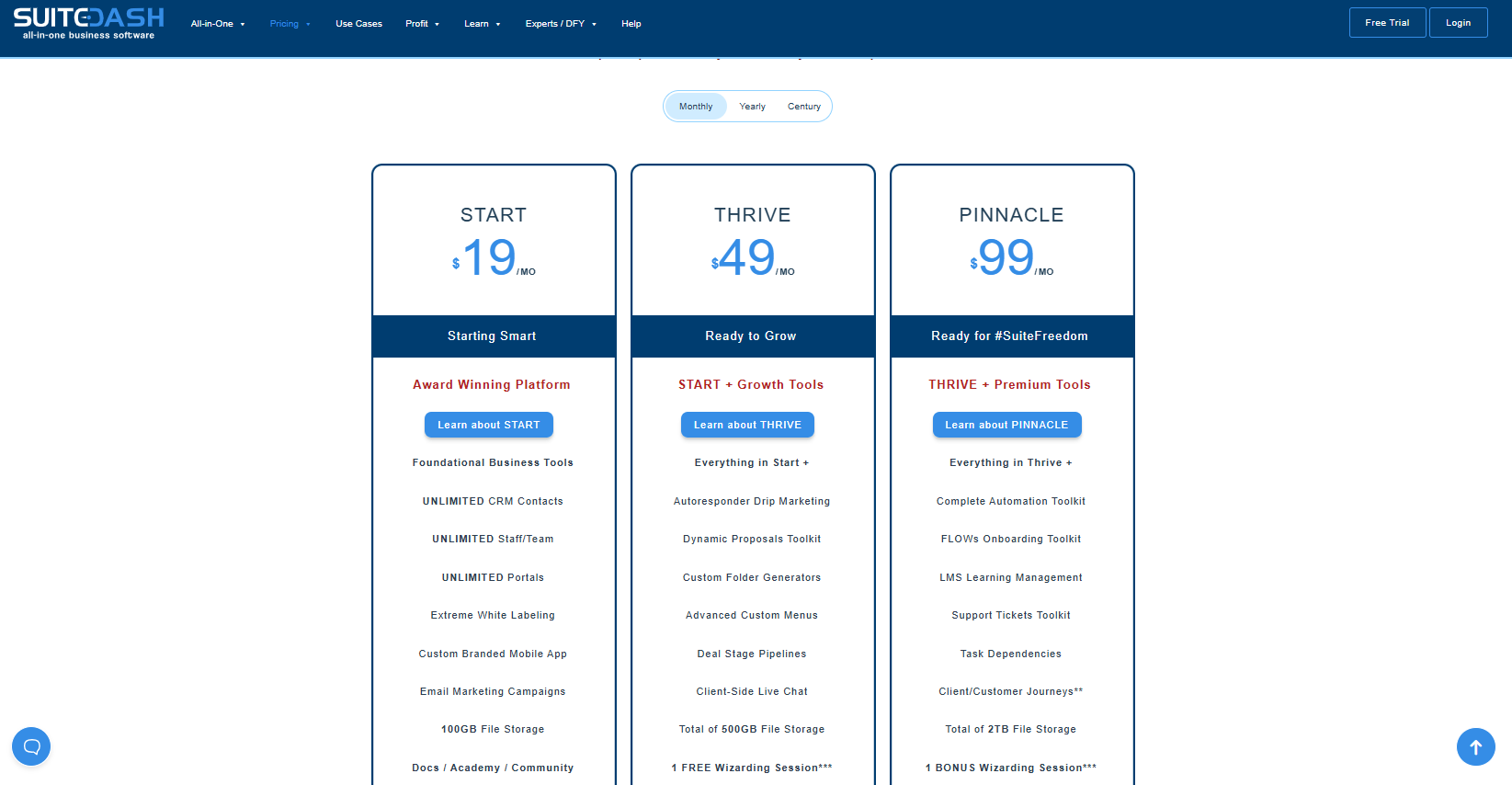
Start
- $19/month billed monthly
- $180/year billed annually
- $2,240 for a lifetime
Thrive
- $49/month billed monthly
- $480/year billed annually
- $3,940 for a lifetime
Pinnacle
- $99/month billed monthly
- $960/year billed annually
- $6,840 for a lifetime
4. ManyRequests
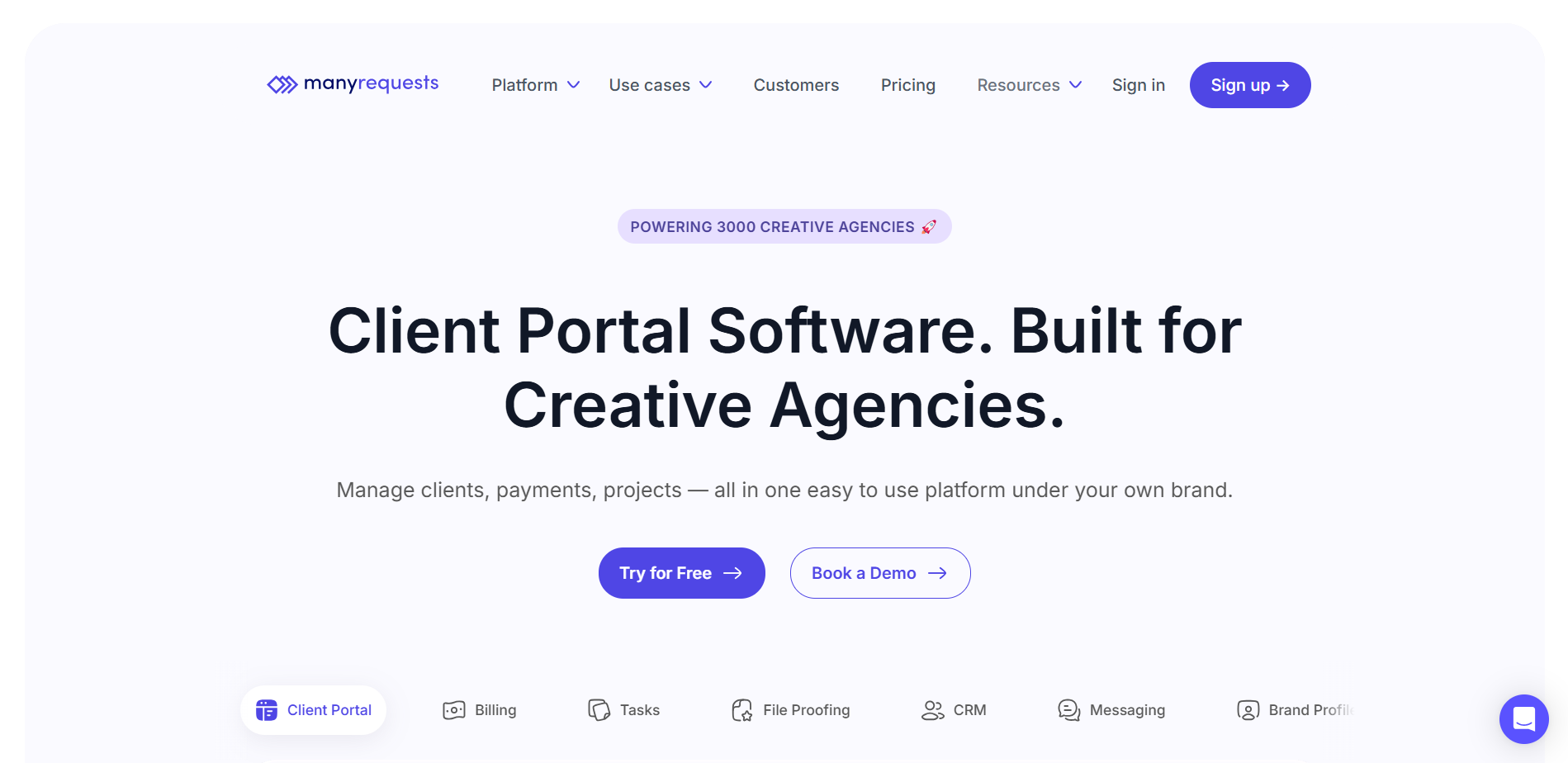
Best Service Provider Pro alternative for creative creators
For designing and other creative agencies, Manyrequests stands out as a good alternative to SPP.
Even with their entry-level plan, you can take unlimited clients and projects. It also comes with a custom domain. But to fully white-label your brand and get a custom email as well, you’ll have to pay for their top-tier plan.
As mentioned earlier, it’s for designers. It comes with annotation tools to make feedback between your team and client precise and efficient.
With Zapier integration, there’s an endless list of web apps you can use for more convenient operations.
To manage and track your employee time, the time-tracking feature is also there.
Key Features of Manyrequests
ManyRequests come with the following features –
CRM
With ManyRequests, you can do basic CRM stuff like creating intake forms, collecting client information, and creating tasks based on that. The tool also allows you to create a client database and manage their subscription-related stuff.
Project Management
Both your clients and team can create tasks. You can assign a team member responsible for each task. With the Kanban board view, you can track project updates like which ones are pending, processing, and done.
For project updates, both push and email notifications are available.
Time-tracking
As ManyRequests is built for team collaboration, they included a time-tracking feature to monitor your team’s work time and efficiency. You can create hourly based packages for design work.
Analytics
Through analytics, you can assess your team’s overall response rate, how long it takes to complete certain types of tasks on average, etc. Based on these, you can further plan for the agency’s growth.
Feedback and Annotations
This designer and creative agency-centric client portal software also comes with annotations and feedback features. Apart from regular comment-based feedback, clients can pinpoint certain aspects of the design through annotation tools.
Your team gets a clear understanding of what the client is exactly expecting from the design work.
Other notable features of Manyrequests include –
- Custom domain and custom email
- Up to 10 users with top-tier plan
- Unlimited clients
- White-label branding with Pro plan
- Affiliate module
- Coupon codes
- Zapier, quickbook, xero integration
- API access
- Native Google Meet and Zoom support
Pros
- Real-time project updates with Kanban board
- Feedback with annotations on file
- Analytics gives an overall scenario of agency performance
- Customized forms for easy client onboarding
- Web applications integration with native Meet and Zoom support
Cons
- Expensive per internal user
- Limited lead management
Who Benefits Most from ManyRequests
- Design & Creative Agencies: For managing design projects and collecting visual feedback with annotations.
- Web & Branding Studios: Who need client collaboration, brand asset organization, and real-time updates.
- Marketing & Content Agencies: That handle recurring service requests, need client-side portals, and track internal team productivity.
- Productized Service Providers: Selling fixed-scope services that require smooth onboarding, checkout, and client communication.
Why ManyRequests is Better than SPP?
ManyRequests could be a good SPP alternative for following reasons –
- Better at project management
- Creative file feedback with annotations
- Relatively low cost for complete white-label branding
- Clients can add users from their end
- Tracks team’s work time for efficient operations
ManyRequests Pricing
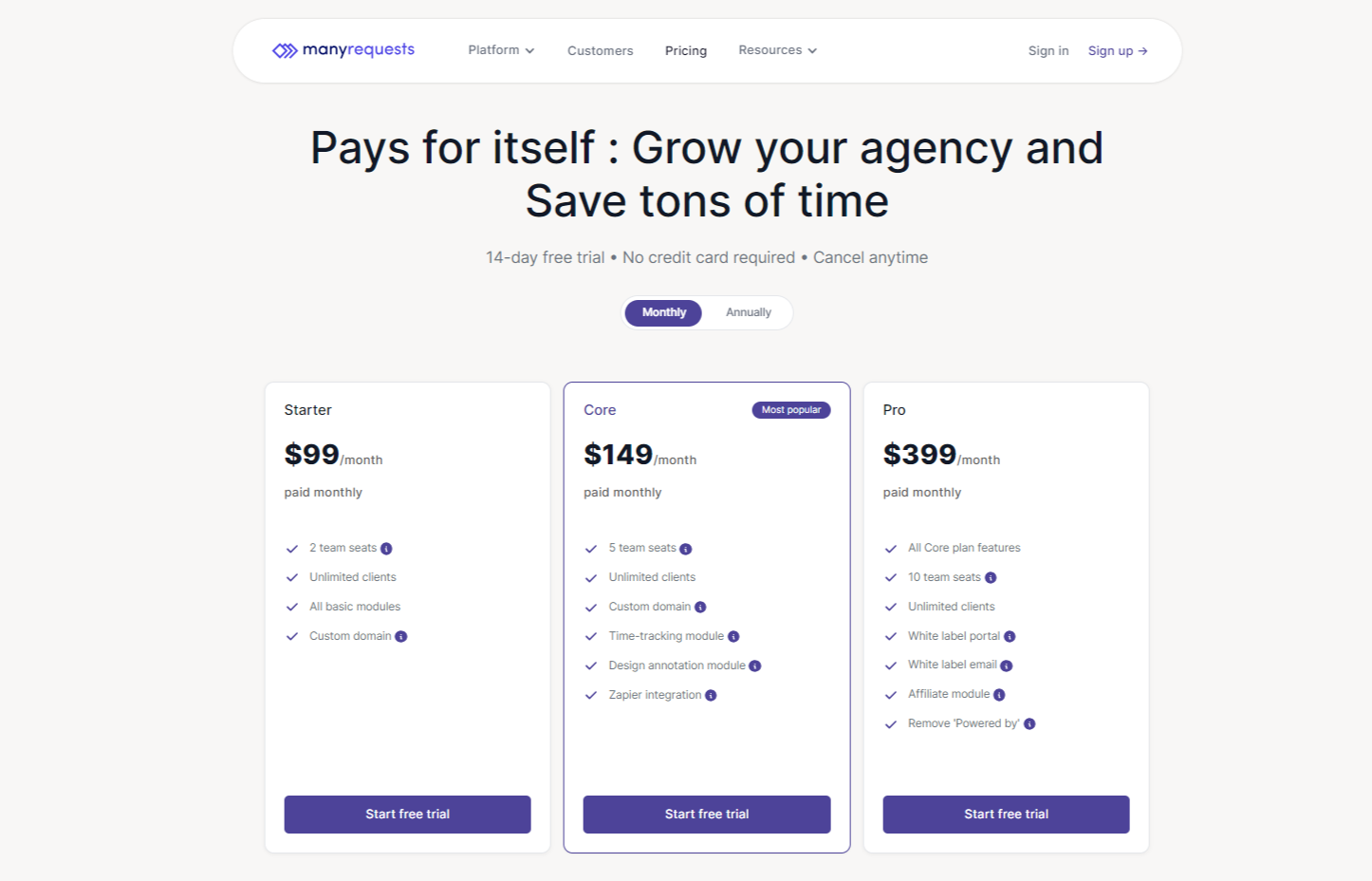
Starter
- $29/month billed monthly
- $19/month billed yearly
Core
- $59/month billed monthly
- $39/month billed yearly
Pro
- $99/month billed monthly
- $79/month billed yearly
Enterprise custom plan with more than 25 users.
5. Kitchen.co
Best Cheap Service Provider Pro Alternative for Freelance Photographers
For creative studios and service-based agencies, Kitchen.co can be a minimalist alternative to SPP. It’s ideal for freelancers or small teams who need a lightweight client workspace without complex workflows or backend logic.
Even with their base plan, you get a branded client portal, a custom domain, and messaging tools to stay in touch with clients.
The tool works well for sharing deliverables, managing feedback via comments, and providing a tidy project timeline.
However, when it comes to lead management, CRM, or detailed reporting, Kitchen.co leaves some critical gaps.
Key Features of Kitchen.co
Client Communication
Kitchen.co keeps client interactions simple. You get an integrated chat interface where clients and team members can exchange updates, files, and feedback. However, it doesn’t support threaded discussions or ticketing like SPP.
Project Management
There’s a Kanban-style task board for tracking deliverables. You can label tasks by status—like “To Do”, “Doing”, and “Done”. Also, you can assign team members and tag with the client name along with the starting and due date.
File Sharing and Comments
Sharing files is easy. Clients can leave comments directly on uploaded files. But there are no annotation tools or version history.
Custom Branding
You can use your own domain and logo. But to remove Kitchen.co’s “powered by” branding across the platform, you’ll need their $599/month enterprise plan.
Forms and Quotes
You can send quotes and intake forms, but customization is limited. There are no self-service forms or automated workflows like you’d find in SPP.
Integrations
Kitchen.co supports accounting tools like QuickBooks and Xero. But if you’re looking for Zapier or API-based automation, this isn’t the tool.
Other notable features of Kitchen.co includes –
- Folder-based organization
- Upload files up to 1 GB
- Native integration with Google Drive, Dropbox, and OneDrive
- Previews image and doc files
- One-time and recurring invoices
- Integration with QuickBooks, Xero, FreshBooks
Pros
- Clean UI and easy-to-use interface
- Client chat and file sharing built in
- Folders can be created for clients and projects
- Task management with a Kanban board
- Custom domain support
Cons
- Not suitable for full-fledge agency operations
- Limited CRM functionalities
- Remove “Powered-by” is expensive
Why Kitchen.co is Better than Service Provider Pro?
Kitchen.co excels in the following factors –
- Basic white-label client portal at a much cheaper price
- Clean and minimalist user interface
- Kanban board project management
- Folders for better organization
- Popular accounting applications integration
What Users Say About Kitchen.co
Capterra: 4.9 out of 5
“The best part is its very simple UI. I like the clean design with just the right amount of features for project management and collaboration for a small team of 2-5.“ – Priyanka B
Kitchen.co Pricing
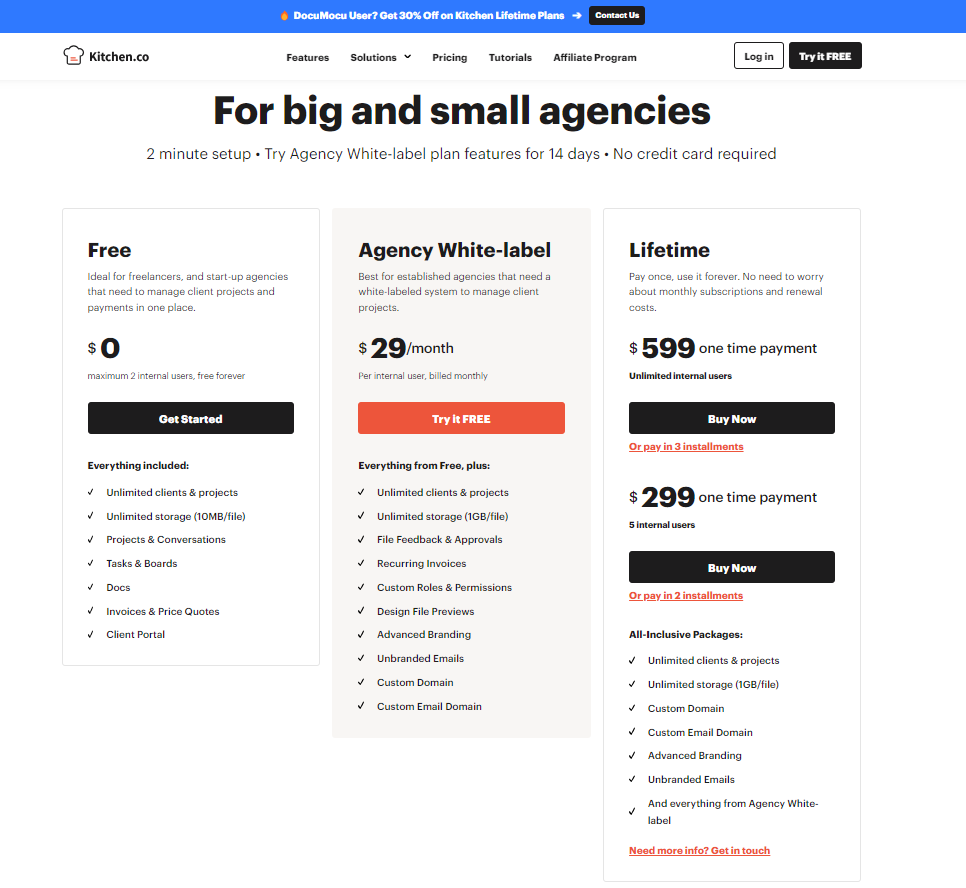
- Agency White-label: $29/mo
- Lifetime: $599 (one time)
6. UseQueue
Best Service Provider Pro Alternative for Productized Agencies
In terms of price and features, UseQueue is hard to beat. Even though it doesn’t have robust automations and is made for large agencies, the tool still packs impressive features to get you the leverage you’d need for creative works.
For your productized service, UseQueue comes preloaded with subscription management. You can also upsell add-ons when clients check out, selecting a service.
To onboard clients, you can customize forms with 6 inputs and tailor them for specific projects.
Manage your projects with a smart Kanban-based project tool. Assigning and giving project updates can be done effortlessly.
Key Features of UseQueue
The following are the most highlighted features from UseQueue
Custom Forms to Onboard Clients
Like other CRMs, UseQueue allows you to create custom forms with up to 6 input types. You can add a meeting link, welcome video, collect sensitive info securely, request file uploads, and special notes for clients to start with.
Automate Onboarding
UseQueue allows you to automate tasks, such as what to do when an intake form is submitted, who to assign those tasks to, and send a welcome video to great clients, schedule a meeting, etc. This significantly reduces admin tasks and helps you focus on your work.
Project Management
With Kanban board project management, you can create tasks, assign team members, and change project status like a pro. To change the status, simply drag and drop tasks to “pending,” “in progress”, “needs review”, and “done” boxes to get clients’ real-time project updates.
Design Feedback and Annotations
As UseQueue is designed for creative works, managing tasks like designing and video editing will be quite efficient. During feedback, clients can draw, add text, and do much more using built-in annotation tools.
To give your team feedback on edited videos, clients can pinpoint the exact timestamp and comment there, telling exactly what to change.
Client Portal
Once the payment is done, clients will get a brand new client portal to manage their business or agency work. They can change basic things that are related from their end.
UseQueue also includes following features –
- Up to 5 internal users, $15 per additional user
- Unlimited clients and projects
- Custom email, custom domain with full white-label branding
- Time tracking
- Slack integration
- Service catalog with pricing details
- Add-ons and coupons
- Custom invoices
Pros
- Built-in annotation tools
- Clean Kanban board for managing projects
- Lightweight automations for onboarding and task routing
- Loom-style video messaging without extra setup
- White-label options with custom domain and email
- Supports service catalog, add-ons, coupons, and custom invoices
- Slack integration and time tracking included
Cons
- Limited to 5 internal users before extra fees apply
- Lacks advanced CRM features like pipelines or lifecycle stages
Who Benefits Most from UseQueue
- Creative & Design Agencies: For managing client requests, giving visual feedback, and delivering design assets through a Kanban workflow.
- Content Writing Teams: To handle high-volume writing requests, organize client communication, and track progress.
- Video Editing Services: For collecting timestamp-based client feedback, editing guidance, and delivering video revisions efficiently.
- UI/UX & Web Design Studios: To gather precise feedback on live websites using annotation tools and deliver updates through structured workflows.
- Productized Service Providers: For offering fixed-scope services, selling hourly plans or subscriptions, and managing client requests via forms and portals.
- Freelancers & Solo Creators: To onboard clients, manage projects with minimal setup, and handle all communication in one place.
- Small Creative Teams: Who need light automation, client-side task visibility, internal collaboration, and white-label branding without complexity.
Why UseQueue is Better than Service Provider Pro
UseQueue excels in the following aspects –
- Offers built-in visual feedback tools for design, video, and web projects.
- Lets clients create tasks while keeping admin control with approval workflows.
- Designed with Kanban-style project views tailored for creative teams.
- Allows clients to send Loom-style videos without any extra tools.
- Simplifies onboarding with customizable forms and lightweight automations.
- Ideal for solo creators and small teams selling productized services.
- Feels more modern and intuitive for clients compared to SPP’s rigid setup.
- Includes Slack integration for smoother team communication.
Pricing
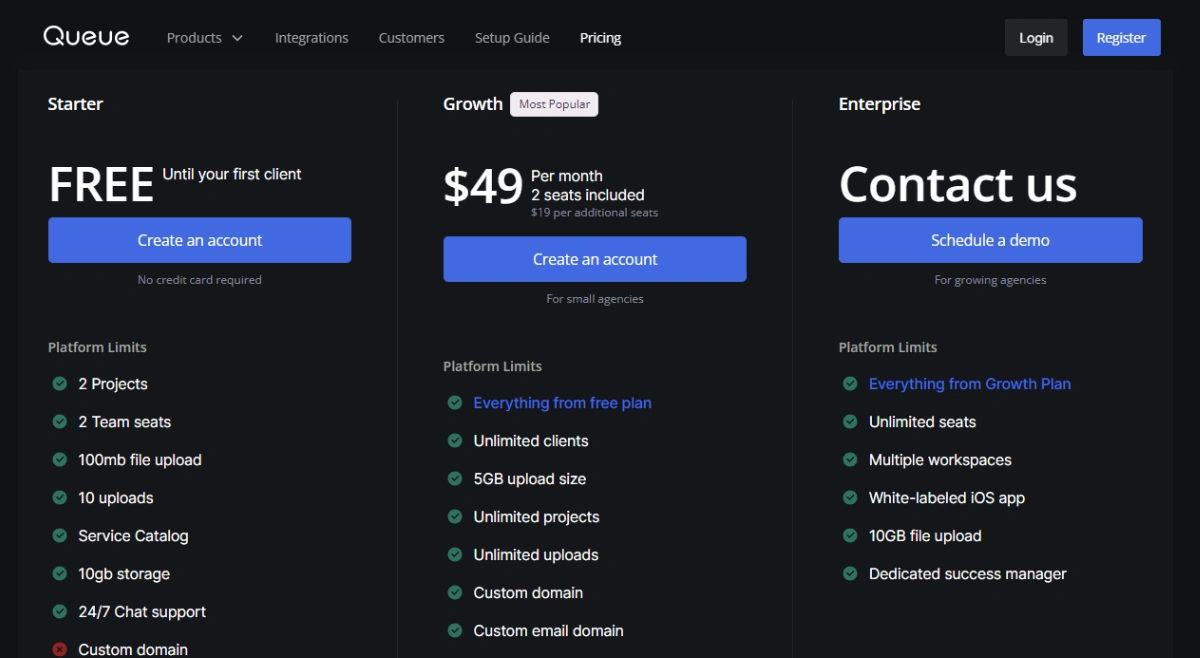
- Free: Until your first client
- Growth: $49/month
- Scale: $149/month
What Users Say About UseQueue
Trustpilot: 4 out of 5
UseQueue gave me the ability to start a subscription design service that has controls in place (one project at a time) that I wouldn’t have otherwise. The dev team is attentive to my feedback for improvements to the app, too. It’s like having a partner in business… not just another software vendor! – Megan Giles
7. Moxie
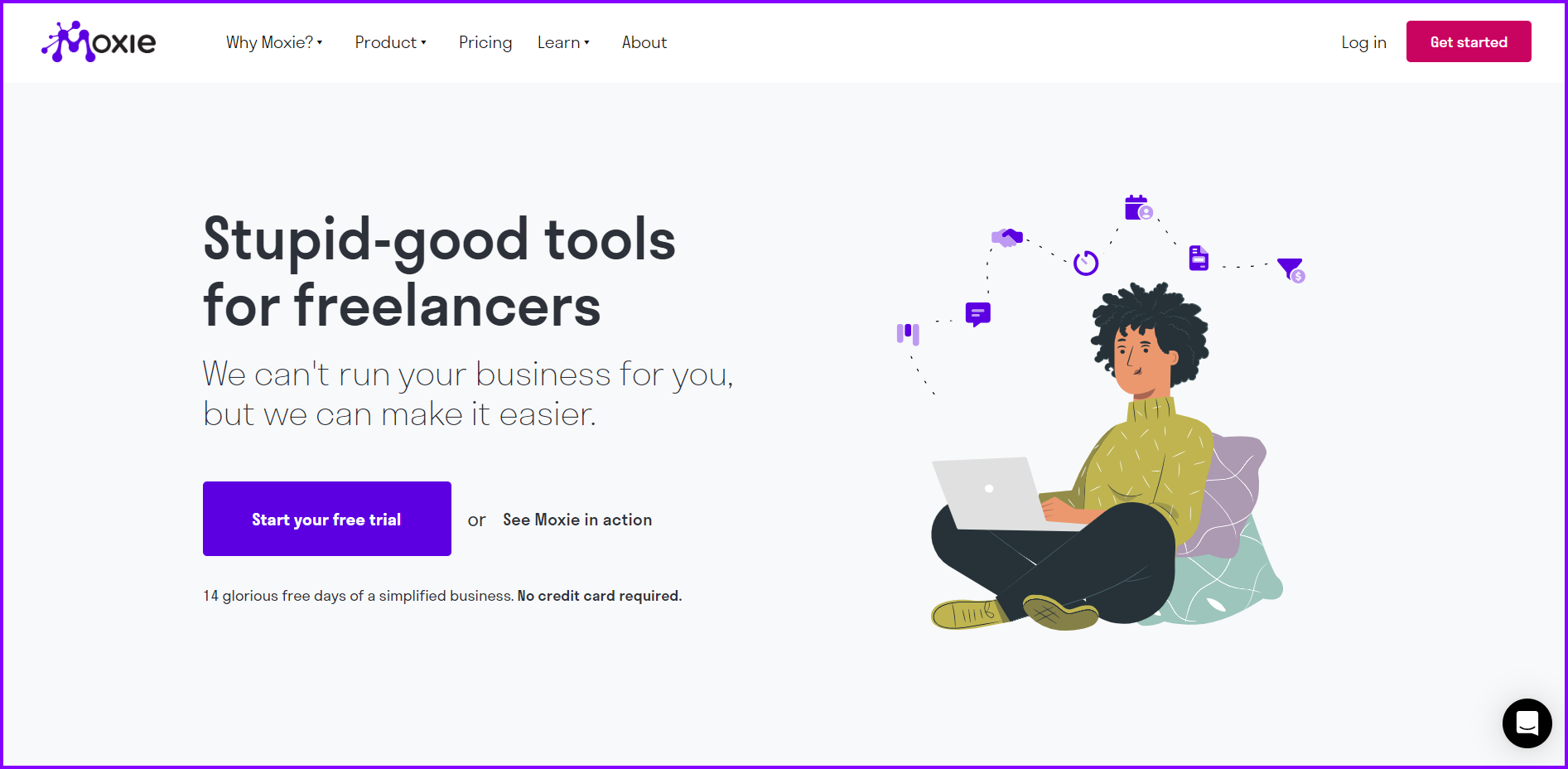
Last but not least, Moxie comes with features targeted towards freelancers and solo entrepreneurs. The overall pricing plan is more affordable than SPP.
You will get white-label with custom domain and email. For team collaboration, they support up to 5 team members.
The best thing about Moxie is that for freelancers, it automates the sales pipeline to some extent, making it easier to onboard clients.
Being a minimal client portal for seo agencies, it’s packed with features you need for creating proposals, forms, quotes, invoices, and more.
Key Features of Moxie
Below are the key features Moxie has to offer –
Automates Sales Pipeline
With moxie, whenever a potential client fills out a form, within 5 minutes, he will get an email to schedule a Zoom meeting. This prompt response will surely impress them. You can also select other types of action with various inputs to make it custom for your needs.
Client Management
You will have one place to see all clients’ information on Moxie. Clicking on a client’s name will open up the entire thing linked to that client. You can see tasks, invoices, inbox, timesheets, forms, agreements, and more.
Kanban Board Project Management
Moxie comes with a comprehensive project management tool to keep track of all projects. At a glance, you can see all the running projects of various clients or choose to see only projects related to one particular client.
Other features of Moxie include –
- Real-time project updates
- Time-tracking
- Financial insights
- Drag and drop proposal building
- Custom forms, contracts, quotes, and invoices
- White-label branding with custom domain and email
- Work with up to 5 internal users
Pros
- Faster client follow-ups and meeting scheduling
- Drag-and-drop builder for proposals, quotes, contracts, and forms
- Branded client portal with custom domain and email
- Kanban project management provides real-time project updates
- Tracks time for tasks and team members
- Supports up to 5 team members for small collaborations
Cons
- Not for large agency operations
- Limited integrations
Who Benefits the Most from Moxie?
- Freelancers: For managing proposals, quotes, invoices, and projects in one branded client portal with minimal setup.
- Solo Entrepreneurs: To automate lead intake, schedule meetings, and close deals faster with a streamlined sales pipeline.
- Small Teams (up to 5 members): Who need simple collaboration tools, Kanban boards, and white-label branding without complex workflows.
- New Freelancers or Side Hustlers: Looking for an affordable, all-in-one system to manage clients professionally from start to finish.
Why Moxie is Better than Service Provider?
- Automates instant meeting scheduling after form submissions
- Branded client portal with full white-label support at a lower price point
- All-in-one client view linking tasks, forms, messages, and invoices
- Easier to use and more affordable for small teams
- Includes built-in time tracking and real-time project updates
What Users Say About Moxie
Trustpilot: 4.8 out of 5
“I’ve just switched to Moxie after using Honeybook for several years. I was paying more for Honeybook and they wanted to up my rate again by over 50% more just to keep zoom connected to my scheduling calendars. As soon as I tried out Moxie I was a fan. It’s intuitive, easy to use and has even more features and AI assistant. And the price is amazing. I was also able to cancel my clickup subscription and create forms and such in Moxie. Switch to Moxie- you’ll be so glad you did.” – Kristin
Moxie Pricing
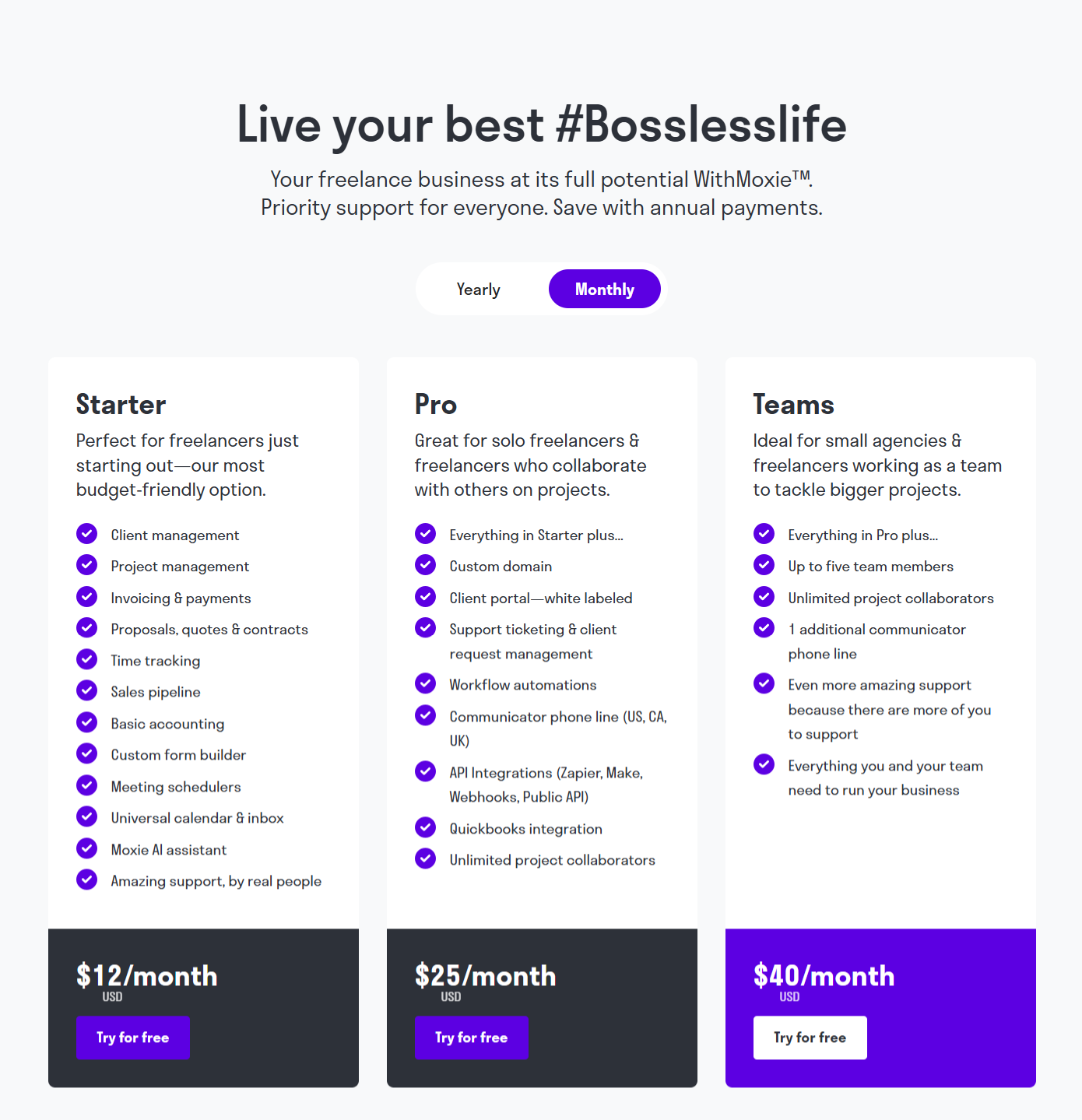
Starter
- $12/month billed monthly
- $10/month billed yearly
Pro
- $25/month billed monthly
- $20/month billed yearly
Teams
- $40/month billed monthly
- $32/month billed yearly
Reasons to Consider Service Provider Pro Replacement
Typically, these factors can trigger an existing Service Provider Pro user to find alternatives:
No White Label on Entry Level and Mid-tier Plan
SPP charges a whopping $129/month for their entry-level plan. Yet, it doesn’t provide a white label feature, which is a deal breaker for small agencies. Even their mid-tier $299 plan claims to remove “Powered by SPP”, but white label branding isn’t widely available through the client portal.
So, for a complete white label agency experience, you have to pay for the top-tier $1500 plan. And this is the most common reason why users look for alternatives.
Limited Customization and Help Desk Features
SPP isn’t super convenient for agencies. It’s designed for everyone.
And help desk support is very slow unless you’re using their $1500 top-tier plan. Slow email response makes users frustrated regarding various issues.
No Budget Plan for Freelancers
Freelancers typically pay less than $25 for a CRM. All they want are pretty basic CRM features to make their client management more efficient.
But SPP’s entry-level plan costs $129. Even though visitors want to get SPP’s services, due to high price points, most freelancers don’t consider their plans cost-efficient.
File Feedback, Approvals, and Annotations
SPP’s aggressively priced plans don’t come with file feedback, approvals, and annotations in one spot. If you have to correct something on any particular file, or draw something on images, or add some annotations, you can’t do that on Service Provider Pro.
You can give feedback, approvals, and add annotations with all Agency Handy plans, ideal SPP alternative for creative agencies.
Key Features to Consider While Choosing Service Provider Pro Alternative
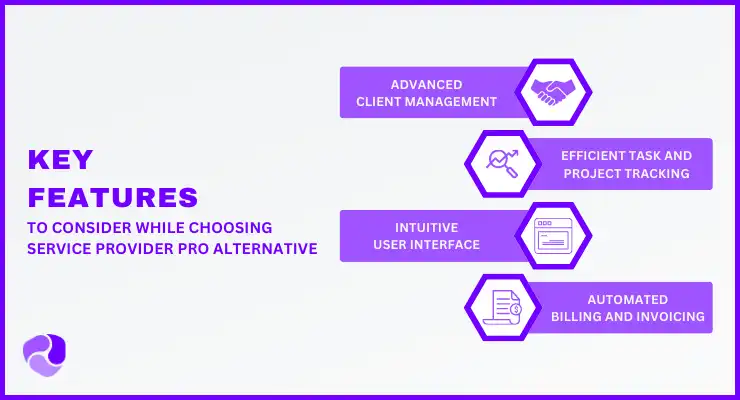
As an agency owner or freelancer, choosing the right client management tool changes everything. Focus on features that directly add value and make your productized service business run smoothly.
If this is the first time you are about to get a client management software, keeping the following things in mind will make sure you don’t regret after purchasing.
Client Portals
Offering a branded, easy-to-use online space for clients makes a huge difference. Your clients will instantly see your professionalism, easily find what they need, and enjoy clearer communication.
White-Labeling
When you can remove the software’s branding and replace it with your own, it builds immense client trust. Your entire client-facing experience reinforces your brand, not the tool’s. If you’re comparing platforms that give you this kind of flexibility, Agency Handy is a good place to start.
Client Onboarding & Forms
Imagine how much time you’ll save with simple, customizable forms that smoothly bring new clients on board. Projects will start faster, and you’ll collect all necessary information effortlessly.
Project & Task Management
Having clear tools to track projects, assign tasks, and set deadlines means your work stays organized. You’ll meet due dates more consistently, ensuring reliable service delivery every time.
Customer Support
Knowing you’ll get good, responsive help when questions or problems arise is peace of mind. It ensures you can rely on the tool daily without disruptions.
So, What’s The Best Service Provider Pro Alternative?
Considering what you get for your money, Agency Handy is the best Service Provider Pro alternative.
If you’re a freelancer or own a small agency, Agency Handy starts at $29/month with the Freelancer plan. For growing agencies, the Team Starter plan costs $99/month and supports up to 10 users.
For mid-sized agencies, Agency Handy allows up to 10 internal users at $99. To add 10 members, SPP charges $299.
If you own a large company with multiple brands, you can prepare separate workspaces for up to 5 brands, which SPP doesn’t even offer.
And from day 1, you are backed by a fast and quick response support team, rather than a slow email support system on SPP.
Final Words
Choosing the right Service Provider Pro alternative depends on your business needs, automation capabilities, and scalability. Look for a platform that simplifies operations, enhances client management, and simplifies invoicing.
Prioritize features like white-labeling, workflow automation, and integrations to maximize efficiency. Testing free trials ensures the right fit.
A well-chosen platform will improve productivity, reduce admin tasks, and support long-term growth.
