Skip to content
  Get the best 3-year deal NOW →
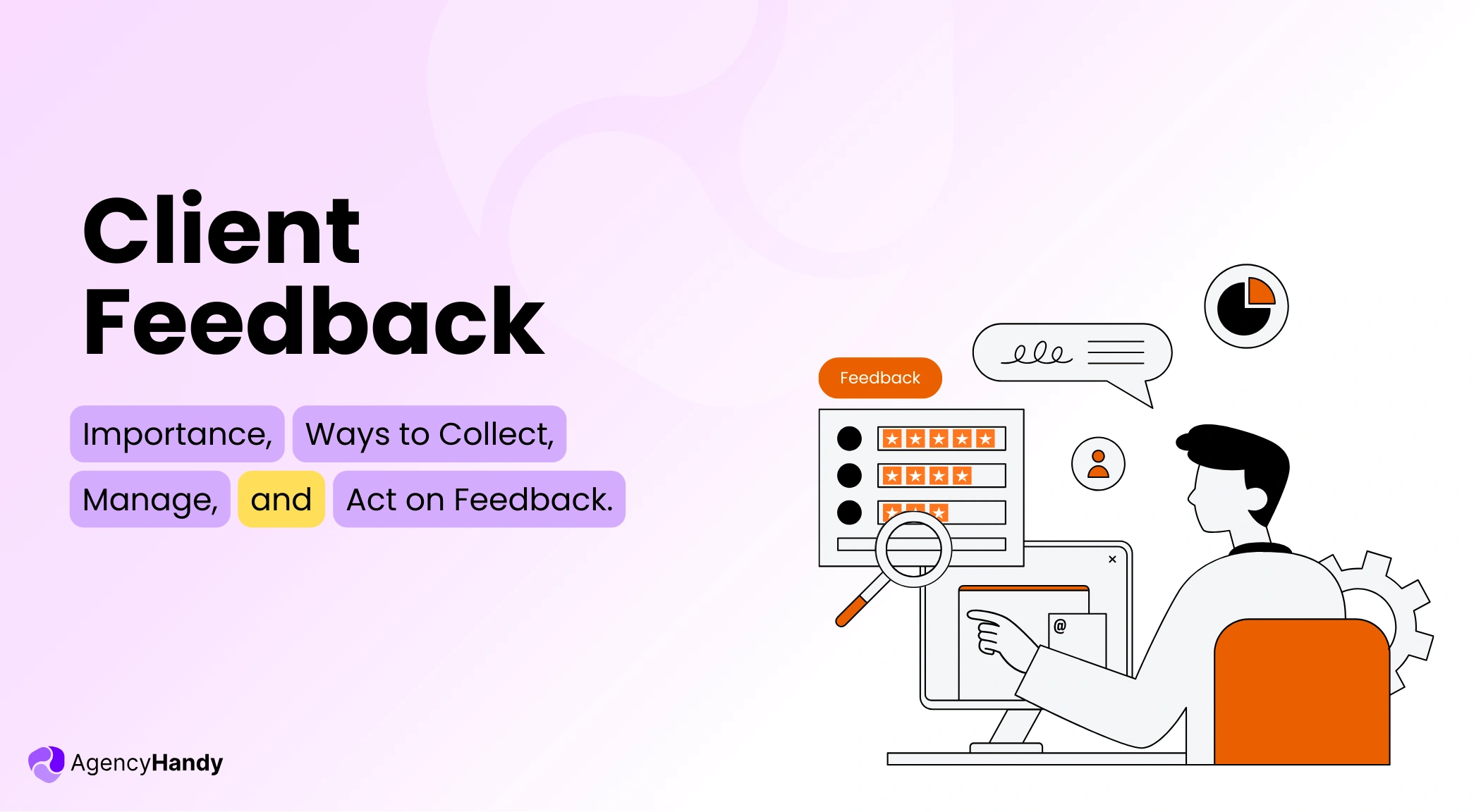



It’s not always the ‘bad work’ issue that the agency faces. Most often, it’s client feedback. See, most agencies take feedback on emails, WhatsApps, and calls.
So the information stays disorganized, and the teams end up doing repeated work. Even worse, there is no context at all. Something like, “make it feel more personalized”. That’s vague feedback!
That’s why we’ll walk you through the core of client feedback. We’ll explain its types, examples, and how to collect and manage it. You’ll also learn common agency mistakes and best practices.
What is Client Feedback?
Client feedback is a structured comment, input, or opinion from your client about tasks, service, or product on which an agency takes meaningful action. It improves work quality, reduces approval workflow, and prevents misunderstandings.
And when agencies use a client portal software to centralize the workflow, it helps to manage the feedback in a more organized way. That’s because it keeps all the conversations in one platform rather than being disorganized in emails, WhatsApp, or phone calls.
What are the Types of Client Feedback?
Agencies receive a lot of feedback about their services, work processes, communication, and more. But the following three types of feedback from clients are what matter the most.
- Deliverable Feedback: It’s the primary feedback that includes works, like design, websites, videos, and copy, which clients approve and pay for.
- Scope Feedback: It includes the client’s additional requirements beyond the agreed initial scope of work, such as designing an extra page or writing copy for a new service page.
- Process Feedback: This type of feedback is mainly focused on the delivery timeline, meeting effectiveness, communication channels, and billing process.
Why is Client Feedback Important?
Client feedback is important to avoid misalignment of work and minimize scope creep. It also helps to improve service quality and retain clients. When you have clarity from the beginning, teams can work efficiently, reach deadlines, and build trust.
For a better understanding, let’s explain the importance a bit more —
Prevent Misalignment
Some clients’ feedback stays in WhatsApp, whereas some remains in emails. In this case, almost all of the inputs seem vague and disorganized.
But when clients add annotated feedback to specific files, documents, images, or websites, it improves understanding. That way, your team knows from the very start what they need to do without doing repeated work.
Agency Handy helps here by offering annotations, so that clients can highlight, draw, add text, and shapes. Plus, clients can pin their feedback to different versions of files. That way, teams can understand the requests without disturbing the core deliverables.
Reduce Scope Creep
As feedback links to a specific version, your team can easily understand what needs to be done. Meanwhile, your PM can view the change requests clearly. It helps to decide whether it’s a random revision or a new task disguised as a revision.
This clarification helps the team treat change requests as either part of the revision cycle or as new tasks.
Thus, they can then assign a team member and set a new timeline. And it matters a lot if you don’t want to expand the original work.
Improve Service Quality
Feedback plays a great role in improving your service quality. It’s the only way you can understand how your agency is doing in terms of service delivery, communication, and the execution process.
And if you can centralize the feedback in an agency management software, you can find recurring issues easily. For example,
- When scope creep takes place
- Where the communication is breaking down
- When revision cycles happen repeatedly
- How often do teams repeat work, and more
With the client’s feedback, you clearly see the areas of improvement without any misinterpretation or misunderstanding.
Increase Client Retention
Lastly, client retention is another major reason for clients’ feedback.
See, feedback helps you to see any issues regarding expectations, timelines, and communication. Also, it helps to prevent surprise mid-work, where teams have to re-work on the same feedback. And that often leads to a missed deadline.
With specific feedback, you can easily avoid all the misunderstandings and resolve the feedback. It signals to the clients that you’re serious, loyal, and accountable, which builds trust and increases satisfaction.
Top Client Feedback Examples Agencies Should Know
There are different types of client feedback an agency encounters, namely —
- Positive Feedback: It includes feedback on any task of the current project, to post feedback where clients share passionate comments about your service.
- Constructive Feedback: When it comes to constructive feedback, it mainly involves inputs related to improving your service, work process, and communication system.
- Negative Feedback: This includes comments of dissatisfaction and frustration about your service.
- Quantitative Feedback: Quantitative feedback is where clients share numerical scores or ratings to highlight their experience with you.
- Qualitative Feedback: Qualitative feedback lets the clients share their experience more comprehensively so that you can understand what’s going well and what needs improvement.
If you want to get a more detailed idea, explore powerful client feedback examples to improve your sales.
How Should You Collect Client Feedback?
Follow the given process to gather your client’s feedback more organizedly.
In-portal File Feedback
Client portal software is the best way for an agency to collect client feedback in a centralized system. It keeps all the feedback linked to specific files or documents, along with annotations, in one place.
Hence, your teams can find the requested changes, requirements, and deadlines and take the necessary steps without any confusion.
With Agency Handy’s client portal, the whole feedback loop gets a lot easier. Clients can share feedback on files, the live site, or a frame with annotation. Plus, they can pin their feedback to a particular version. Meanwhile, teams can filter, search, and sort the feedback quickly with clarity.
Support Tickets
Agencies can gather client feedback through a solid support ticket system. See, when your client creates a ticket, it links to particular requests, work, communication, etc.
In fact, the ticket shows you when your client created it, the core reason behind it, and the requirements. Thus, you can take necessary steps to resolve the ticket as soon as possible.
Besides, a support ticket centralizes feedback. So, you don’t have to search through countless emails or WhatsApp messages.
Again, if the same issue keeps appearing in tickets, you can address it directly and remove the bottleneck. And that’s especially important when it costs around $1.60 per minute to resolve a support ticket.
Messages and Calls
Calls and messages can also be one of the vital ways to gather feedback from clients. It allows your client to share real-time feedback with context and emotion. Thus, you can easily grasp the gist of the feedback and guide your team properly.
Plus, you can use Slack, WhatsApp, and call during delivery to explain the new implementation based on the feedback. It keeps the whole revision cycle more transparent on both ends.
However, the best option will always be using an agency management software. It saves you from jumping between tools to collect, analyze, and take action on the feedback.
How Business Should Handle Client Feedback?
Businesses should handle client feedback in a structured way. Collect input, turn it into tasks, unify it within one ticketing system, and inform the relevant teams. Otherwise, the chance of scope creep, repeat work, and missed deadlines increases.
Now, let’s take a deep look into the process so that you can follow properly —
Feedback Collection
First of all, you need to gather feedback from your clients in an organized process. Yes, you can use Google Form, Slack, WhatsApp, Emails, and calls. But these methods keep the feedback across different platforms.
So, it becomes hard for teams to track, understand, and work on the requests. Instead, centralize the feedback collection process through a client portal. Then —
- Ask clients to share contextual comments instead of “make it pop.”
- Encourage them to use annotations to highlight different files for precision.
- If the system supports, let them pin comments to a specific version.
As you can see, this process helps to maintain an audit trail and moves the project forward.
Turn Feedback into Tasks
Make it a habit to take action as soon as you get feedback from clients. Whether it’s new requests, revisions, or improving slow response, start resolving the issue immediately.
In that case, you should —
- Ask clarification questions to clients regarding the feedback
- Turn them into an actionable task list
- Make sure to check whether it’s a new request or in-scope work
- Set new milestones, assignees, deliverables, and due dates
Centralize Support Feedback with Tickets
Aside from collecting feedback on files and documents, you can centralize support tickets with client reviews. Besides, tickets show you the exact context related to the feedback. That’s why you can immediately instruct the team to start acting on the issue.
Also, since a ticket has its owner and status, it becomes easier to know what action has been taken so far. Eventually, centralizing tickets removes back-and-forth and helps to fix the issue fast.
Notify the Team and Clients
Feedback only matters when you take action. And that starts with notifying your team. When you inform everyone from the beginning, you reduce the chance of missing any critical reviews.
In this case, you can —
- Inform the team about new requests or revisions
- Set assignees and realistic due dates
- Explain the priority list for the feedback
- Ask if any member has any confusion or needs clarification
And when you do that, your clients can see that you’re serious and professional with your work. It also prevents the client from submitting repeated feedback. Thus, teams can finish the changes within the timeline without any backlog.
Common Mistakes Agencies Make With Client Feedback
Here are some common yet significant mistakes an agency makes and regrets.
- Collecting Feedback Too Late: Agencies often wait for feedback until the final product is complete. Most of the time, it leads to a lot of revisions at once, rushed deadlines, and endless approval cycles.
- Accepting Feedback Without Context: It’s a major mistake to accept feedback without understanding the context. It results in misunderstanding, repeated work, and misalignment. T
- Not Taking Prompt Action on Feedback: Storing the feedback without taking proper action immediately is a mistake. It signals to clients that you’re not giving priority.
- Not Assigning an Owner: When you don’t assign an owner, team members might consider that another person will handle that feedback. Thus, the core review sits silent in the chat, emails, or WhatsApp, creating delays and backlogs.
- Not Confirming the End: This is the last but major mistake that agencies make by not closing the feedback loop with maybe internal notes. So, regardless of working on the feedback completely, clients still push small changes every other day.
What are the Client Feedback Best Practices Agencies Should Follow?
Best client feedback practices include asking for context, assigning owners and setting deadlines, and notifying of scope changes early. Also, the agency should acknowledge the feedback before work starts, and end the loop to avoid repeat comments.
Now, let’s break down the best practices so that it’s easy to implement.
Require Context With Every Feedback Entry
Every agency faces a few feedback, like “can you just make it a bit more grand?”, or “it doesn’t match with the vibe”, and more. And when you start working on them, you and your team just do nothing but guesswork.
In this case, if you want to save yourself and your team from making wrong changes, face extra revisions, and late deliveries, ask for context. With context, you’ll understand what the client wants instead, which things need to change, the time required to make the changes, and so on.
Thus, teams will be able to work on the feedback efficiently without any confusion.
Convert Feedback Into Assigned Work Quickly
Though we already discussed it, you must consider converting feedback into a task as one of the best practices. As soon as you get feedback, assign it to an owner with a clear deadline and priority. Plus, it helps you to ask for context from the client to prevent any misinterpretation from the start.
Moreover, when you take prompt action, you start to see whether the changes are new scopes or part of the original work.
Separate Feedback From Scope Changes
You should remember that feedback is more of a change request or instruction from a client on tasks that you have already agreed to deliver. Thus, you need to ensure that no new task gets into the agreed deliverables as feedback.
In this case, you should —
- Get feedback in a structured way so that you can easily track
- Analyze whether the feedback is a request to add a “New” page, feature, copy, or just a revision.
- If it’s a new task, make it clear to your client that it’s a new task and get approval before moving.
With that said, you’ll probably have to follow a different approach based on your agency and work. But keep this best practice in mind, unless you’re willing to do more work than the payment.
Acknowledge Feedback Before Acting on It
You must always respond to feedback before you and your team begin work. It shows your clients that you value and respect their comments. Besides, acknowledgement allows you to ask clarification questions, like —
- What important change do you need?
- Did you mean to change the color or the contrast, or change the copy, etc.?
- What’s the deadline for the revision?
However, don’t make it too complicated for the client. It’ll just make the feedback more diluted. You just need clarity so that your team doesn’t need to repeat work, multiple revisions, and miss a deadline on a single piece of feedback.
End the Feedback Loop Clearly
Closing the feedback loop is the most critical best practice businesses should implement. It’s nothing but showing that you’ve noticed and started working on the inputs.
That way, clients know what happens next without getting anxious or repeating the same feedback.
How Agency Handy Simplifies Client Feedback?
Agency Handy simplifies client feedback by centralizing everything in one system. Your clients can comment on live sites, videos, images, files, and PDFs.
In fact, they can highlight specific areas, draw on files, and leave notes at exact video moments. Thus, teams know precisely what to work on and where to work.
Most importantly, you can upload new versions and compare what changed during the feedback loop and revision cycle. You can also sort and filter comments to review faster.
Most importantly, this client feedback software lets you pin feedback to a specific version. Thus, you can see the exact reason for the feedback. It helps to avoid the same comment from clients and rework even after multiple version uploads.
CTA: Try Agency Handy for Free and Streamline Client Feedback
Final Words
Client feedback can be extremely helpful. But you should collect it with context, visual highlights, and annotations to a specific file or version. It also helps to work on the feedback without the risk of scope creep and get approval quickly.
Agency Handy comes here that unified the whole feedback process. Your clients can share comments on files, videos, images, and live sites. Plus, it lets you create support tickets so that you get the context and start working without any back-and-forth.
FAQs
What is the best way to manage client feedback?
The best way to manage client feedback is to centralize it in one system. Then, you should collect feedback with context. Next, turn the inputs into assigned tasks, and ensure the feedback doesn’t cross the agreed scope. Most importantly, you must end the loop of feedback to avoid repeated comments and confusion.
How should agencies measure client feedback success?
An agency should measure client feedback success by reducing revision cycles, quick approvals within timelines, and repeat clients. It also helps to measure whether you can get qualitative and quantitative feedback from your clients on your service.
How to ask for feedback from a client?
To ask for client feedback, get a clear context, and encourage them to use annotations and visual highlights while commenting. Most importantly, acknowledge the feedback by explaining priorities, steps, and deadlines before you begin to work.